
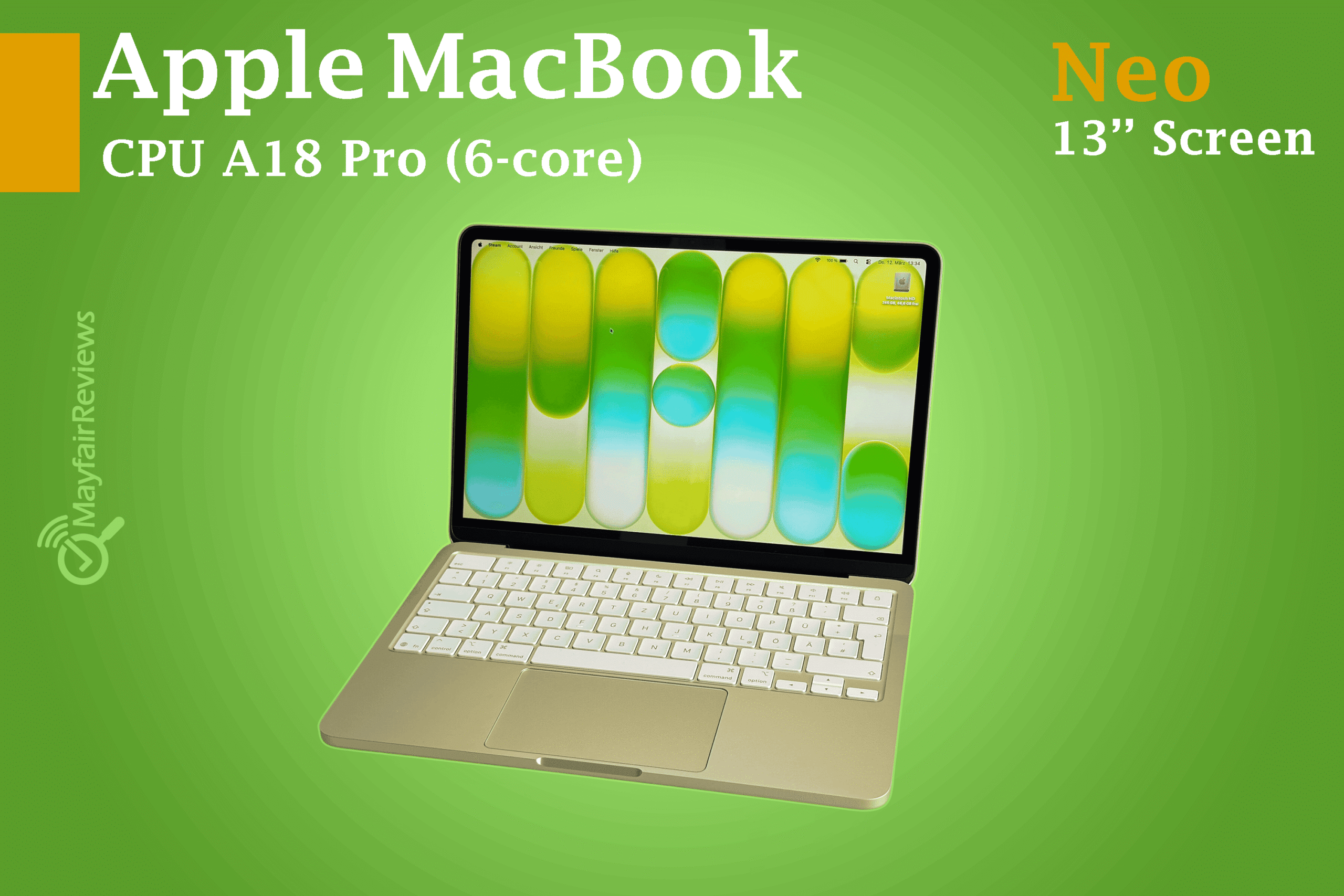
Apple brings its competition to cheap laptops and Chromebooks with a touch of elegance.
Apple MacBook Neo: The Quick Verdict
The MacBook Neo represents one of Apple’s smartest and boldest moves in years, especially arriving at a sensitive global juncture. Amidst the global memory shortage and volatile tariff policies, electronics prices have surged significantly, coinciding with a rising cost of living that has squeezed consumers’ purchasing power for new laptops.
Despite the common brand perception of Apple as an exclusive luxury label, the company has previously delivered models with excellent value for money, such as the Mac mini (M4). Today, the MacBook Neo gains its significance by representing Apple’s first official entry into the competitive arena of budget and mid-range laptops.
This market, once the exclusive domain of inexpensive Chromebooks and low-cost Windows 11 PCs, is now seeing a new competitor dictating its own terms. Apple is clearly asserting that being “affordable” never has to mean being “cheap” or limited in capabilities; rather, it is a full “Mac” experience, smartly engineered to fit a wider budget without compromising the brand’s quality.
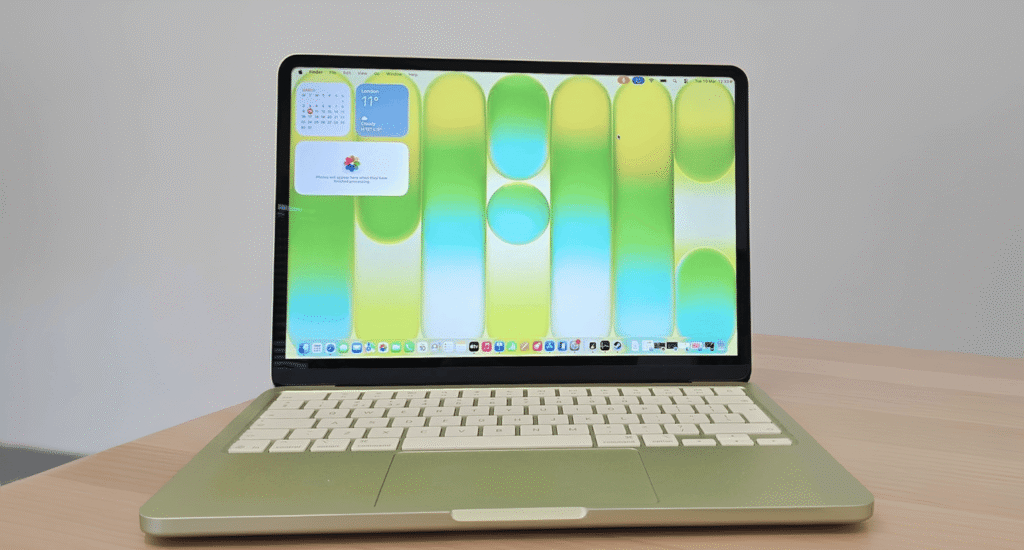
The device delivers a powerful computing experience in an attractive aluminum design, with an aesthetic touch that takes us back to Apple’s golden era of colorful devices, now available in four vibrant new colors. It also features a bright and colorful Retina display with a resolution of $2408 \times 1506$; a resolution that clearly outperforms standard 1080p displays found in laptops within this price range in terms of sharpness and detail.

The built-in 1080p webcam ensures crystal-clear image quality during video meetings. Perhaps the most prominent feature is that the MacBook Neo runs on a full, non-diluted version of macOS, granting you the ability to run almost all Mac applications without exception.
While the 8GB of unified memory means you won’t get peak performance when multitasking heavily, I generally encountered no issues at all running a variety of apps for everyday tasks. This makes it an ideal choice, particularly for students.

The biggest advantage lies in its competitive pricing; at a cost of $599 or £599, it becomes incredibly difficult to find a Windows or Chromebook competitor that matches the build quality and performance delivered by the MacBook Neo.
What makes it even more exciting is the availability of a special student discount that brings the price down to just 499. At this price point, the device becomes the logical and ultimate choice, leaving no room for hesitation.
To be sure, there are some compromises; alongside the limited memory capacity, the MacBook Neo lacks a backlit keyboard, which may make typing in dark environments a challenge for users. Additionally, the two USB-C ports rely on older USB 2.0 and USB 3.0 standards technologies that offer slower data transfer speeds compared to modern standards.
Despite these notes, Apple has successfully delivered the best budget laptop available on the market for 2026. While it may not be the absolute cheapest option, the value it provides for its price makes paying a small premium a completely sound investment to acquire a device with this level of smoothness and integration.
Windows 11 and Chromebook manufacturers have been put in a difficult position; they will have to step up their game just to keep pace with the MacBook Neo, let alone surpass it.
Deep Dive into Features: Apple MacBook Neo
- The Major Selling Point: The biggest draw of the MacBook Neo is its price, starting at $599 / £599. It appears that Apple has gone to great lengths to keep the price as low as possible.
- Unbeatable Value: With an additional $100 in savings (via student discounts), this model stands as one of the most affordable entries into the Mac ecosystem.
- All-in-One Advantage: The MacBook Neo outshines the Mac mini (M4) as a ready-to-use device. While the mini is powerful, the hidden cost of peripherals makes it expensive, whereas the Neo dominates the value charts with its integrated display and input devices.
- Base Specifications: For the starting price, you get a 13-inch Liquid Retina display, 8GB of unified memory, and a 256GB SSD.
- Under the Hood: The Neo is powered by the Apple A18 Pro chip, featuring a 6-core CPU and a 5-core GPU.
- The Secret Behind the Price: Utilizing the A18 Pro chip borrowed from the iPhone lineup rather than the dedicated M-series computer chips, is the key factor enabling Apple to offer the MacBook Neo at such a disruptive price point.
- Limited Customization: Configuration options are quite sparse; the only upgrade available is doubling the storage to 512GB for an extra $100 / £100.
Note: Investing in the higher 512GB storage capacity doesn’t just give you more space; it also adds Touch ID to your device, providing seamless security for logging in and online shopping with just your fingerprint. Keep in mind that these premium features are not available in the base model, making the upgrade a smart and justified choice.
Constructive Tech Critique:
Direct Confrontation:With its starting price of $599 / £599, the MacBook Neo goes head-to-head with leading budget devices such as the HP Chromebook Plus and Acer Aspire Go 15. For the first time in years, a MacBook is breaking into this price bracket, clearly outclassing Windows and Chromebook competitors whose build quality feels lackluster by comparison.
The Price of Affordability: While the prospect of owning a MacBook for $599 is a genuine breakthrough, the Neo’s actual value remains contingent on your willingness to accept the compromises Apple had to make to reach this low price point.
In the Box:A final point to note is that in the UK and EU, the MacBook Neo does not ship with a power adapter, including only a USB-C cable. This follows the trend set by last year’s MacBook Pro (M5) and the Samsung Galaxy Book6 Ultra.
Value for Money Rating: 5/5
Apple MacBook Neo: Specs
| – | MacBook Neo base configuration | MacBook Neo top configuration |
|---|---|---|
| Price: | $599 / £599 / AU$899 | $699 / £699 / AU$1,099 |
| CPU: | Apple A18 Pro (6-core) | Apple A18 Pro (6-core) |
| Graphics: | 5-core GPU | 5-core GPU |
| Display: | 13-inch Liquid Retina Display, 2408 x 1506, 500 nits brightness, 1 billion colors | 13-inch Liquid Retina Display, 2408 x 1506, 500 nits brightness, 1 billion colors |
| RAM: | 8GB | 8GB |
| Storage: | 256GB | 512GB |
| Keyboard: | Magic Keyboard | Magic Keyboard with Touch ID |
| Ports: | USB 3 (USB-C) port, USB 2 (USB-C) port, 3.5mm audio jack | USB 3 (USB-C) port, USB 2 (USB-C) port, 3.5mm audio jack |
| Wireless: | Wi-Fi 6E / Bluetooth 6 | Wi-Fi 6E / Bluetooth 6 |
| Weight: | 2.7lbs (1.23kg) | 2.7lbs (1.23kg) |
| Dimensions: | 0.50 x 11.71 x 8.12 inches (1.27 x 29.75 x 20.64cm) | 0.50 x 11.71 x 8.12 inches (1.27 x 29.75 x 20.64cm) |
Apple MacBook Neo: Design
- Color Options: Available in four vibrant colors.
- Keyboard: Non-backlit keyboard.
- Ports: USB-C ports utilizing USB 2.0 and USB 3.0 standards.
Retro Vibes, Modern Build: Apple’s Playful Comeback:
- Apple has excelled in making the MacBook Neo embody its high standards of design and build quality, maintaining the brand’s premium identity despite its budget-friendly price.
- When it comes to design, the MacBook Neo completely outclasses almost all competitors in this price bracket.
- The aluminum chassis gives the MacBook Neo remarkable rigidity and a premium look, further enhanced by four modern, vibrant colors.
- Apple has recaptured its playful design spirit with the MacBook Neo, delivering a colorful and lively device. What sets these colors apart is how they blend with the metallic luster, giving the laptop a sophisticated, professional appearance that feels far from “cheap” or “toy-like”.
- The aluminum build means the MacBook Neo isn’t quite as feather-light as you might imagine; weighing in at 2.7 lbs (1.23 kg) identical to the MacBook Air while certainly not heavy, it provides a reassuring sense of durability and solid craftsmanship.

The MacBook Neo lacks that signature feather-light feel associated with the “Air” branding; its noticeable weight and greater thickness compared to the MacBook Air make it a more substantial and bulkier device to carry around.
Magic Keyboard:
The MacBook Neo’s keys come in color tones that perfectly match the chassis, creating what Apple describes as a “cohesive design aesthetic,” making it the most vibrant Mac ever released. Although the keyboard offers a comfortable typing experience and a responsiveness that rivals the Magic Keyboards found in high-end models

Ports:
The left side of the MacBook Neo features two USB-C ports that also double as charging ports, given the absence of the advanced MagSafe 3 magnetic connector. While these ports look identical to those found on other Mac models, it is crucial to note that they rely on different and older data transfer technologies.
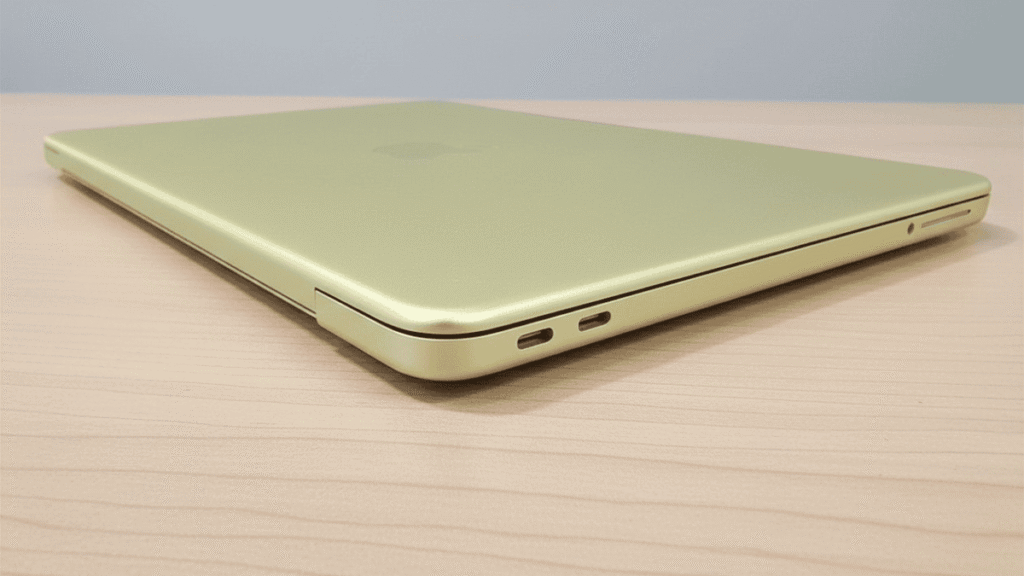
The USB port closest to the rear of the device utilizes USB 3 technology, reaching maximum speeds of up to 10Gbps. For comparison, the new MacBook Air M5 features Thunderbolt 4 ports with speeds up to 40Gbps, while the latest MacBook Pro models powered by M5 Pro and M5 Max chips offer Thunderbolt 5, reaching staggering speeds of up to 120Gbps.
The USB 3 port serves its purpose for basic peripherals, despite being slow for transferring large files by modern standards. Nevertheless, support for an external 4K display at 60Hz remains a notable strength for a device in this category. As for the second USB-C port, it utilizes the older USB 2.0 interface, capping speeds at just 60MB/s a much slower rate that is realistically only suitable for wired keyboards and mice.


The technical disparity between the two identical-looking ports is a design flaw resulting from cost-cutting measures in the MacBook Neo. This ambiguity may cause user frustration when encountering unexpected slow file transfers or compatibility issues, simply because Apple failed to visually distinguish between two ports that operate on entirely different standards.
To be fair, the MacBook Neo makes up for its port limitations in other areas; its aluminum chassis outshines all competitors in terms of sophistication and durability, while the display further elevates the experience as one of the device’s strongest selling points for the price.
At 13 inches with a resolution of 2408 x 1506, the display might not be the largest or sharpest in Apple’s lineup, but it is a fantastic addition to a laptop in this price bracket. This is especially true considering most Windows 11 and Chromebook competitors at this price point are limited to 1080p resolution or lower. Furthermore, the 13-inch form factor helps make the MacBook Neo highly portable, particularly for children and students.
Design Rating: 4/5
Apple MacBook Neo: Performance
- iPhone-Powered Core: The device utilizes the same A18 Pro chip that powered the iPhone 16 Pro, marking a significant milestone where a smartphone processor drives a full desktop operating system.
- Seamless Software Compatibility: Despite its mobile roots, the Neo can run full macOS applications, ensuring it functions as a true computer rather than just a tablet with a keyboard.
- The Memory Hurdle: The 8GB of unified memory remains a point of concern for power users, as it may act as a performance bottleneck during intensive multitasking.
The MacBook Neo strikes a perfect balance between affordability and power by borrowing the A18 Pro chip from the iPhone 16 Pro. Leveraging Apple’s extensive expertise in mobile silicon, this processor delivers efficiency that far exceeds traditional budget laptops, allowing Apple to offer a Mac at a lower price point without sacrificing impressive, real-world performance.
Apple MacBook Neo: Benchmark Results:
Here is how the Apple MacBook Neo performed in our standard suite of synthetic benchmarks and gaming tests:
Geekbench 6.6:
- Single-Core: 3,535
- Multi-Core: 8,920
Blackmagic Disk Speed Test:
Some might wonder: why didn’t Apple use an older computer-grade chip like the M1? The answer lies in the demands of the modern era; the A18 Pro is equipped with an advanced 16-core Neural Engine, specifically designed to efficiently handle the “Apple Intelligence” features integrated into macOS. In contrast, the M1 chip (released in 2020) lacks this capability, and the A18 Pro also benefits from significantly faster memory. Thus, what initiallyseemed like an odd move using a smartphone chip proves to be a highly strategic and brilliant decision.
Since the A18 Pro is also a 64-bit chip based on the Arm architecture, there is no need to worry about being restricted to iPhone apps on the MacBook Neo. Instead, you can run any Mac application that functions on modern MacBook models seamlessly.
The MacBook Neo runs the operating system with remarkable efficiency, especially when sticking to Apple’s native app ecosystem, which has been optimized for the device’s hardware. While heavy professional software might face some challenges, built-in tools like GarageBand for music creation and Keynote for presentations run flawlessly offering a comfortable and productive user experience without the need for high-end specifications.
Given the global surge in memory prices and supply shortages, it was expected that the MacBook Neo would feature limited RAM to maintain its competitive price point. While 8GB is a significant step up from the 4GB found in many budget Chromebooks or Windows laptops, it remains modest by today’s standards. The real challenge lies in the lack of upgrade options at the time of purchase, compounded by the impossibility of manual hardware upgrades due to the device’s sealed, integrated design.
In the MacBook Neo, both graphics and the system share the 8GB capacity, making it essential to stick to basic tasks to ensure smoothness. For those seeking professional-grade multitasking, the MacBook Air M5 with 16GB of RAM remains the superior alternative. In short, the Neo is a bargain for users who understand their modest needs; it delivers the authentic Mac experience at an unbeatable price, provided it isn’t pushed beyond its limits.
Overall, the MacBook Neo’s performance is highly impressive for its price; it excels at everyday tasks and offers enough flexibility to run most Mac applications without issue but if you’re looking for a productivity powerhouse, look elsewhere.
The last thing worth noting here is that the MacBook Neo, like the MacBook Air, features a fanless design, meaning it remains completely silent during operation. This is another major differentiator from budget Windows 11 laptops, which often become noisy as soon as their fans kick in under load.
Performance: 4/5
Apple MacBook Neo: Battery Life:
- Apple’s Claims: Apple claims that the battery can last up to 16 hours of video streaming an impressive figure for a device of this size and price point.
This runtime is more than enough for a full day of work or study, making it an excellent choice for students who don’t want to hunt for a power outlet between classes. Charging the MacBook Neo is quick using the included 20W power adapter (unless you are in the UK or the EU, in which case a power brick is not provided in the box).
Battery: 4/5
Apple MacBook Neo scorecard:
| Attribute | Notes | Score | ||
|---|---|---|---|---|
| Price | The MacBook Neo offers exceptional value for money, especially if you’re able to take advantage of the $100 / £100 student discount. | 5/5 | ||
| Design | It looks and feels a lot more premium than most laptops at this price, and its display is similarly impressive. The lack of a keyboard backlight and slow USB ports are a shame, however. | 4/5 | ||
| Performance | You get the full-fat macOS experience here, and day-to-day tasks pose no trouble at all but the 8GB of memory means multitasking is less smooth. | 4/5 | ||
| Battery life | 16 hours promised, and 13 and a half in our tests is more than enough for going a whole work or school day without needing a charge. | 4/5 | ||
Should You Buy the Apple MacBook Neo?
Buy it if
- You want an affordable laptop: These days, finding a laptop under $600 that’s actually worth buying is incredibly difficult, but the MacBook Neo makes it easy it’s a fantastic laptop for the price.
- You are a student: It is durable, boasts long battery life, and performs well. With Apple’s student discount, it offers even better value for your money.
Don’t buy it if
- You are a creative professional: The MacBook Neo is primarily aimed at students, small business owners, and casual users. If you need a laptop for heavy creative workloads, opt for the MacBook Pro instead.