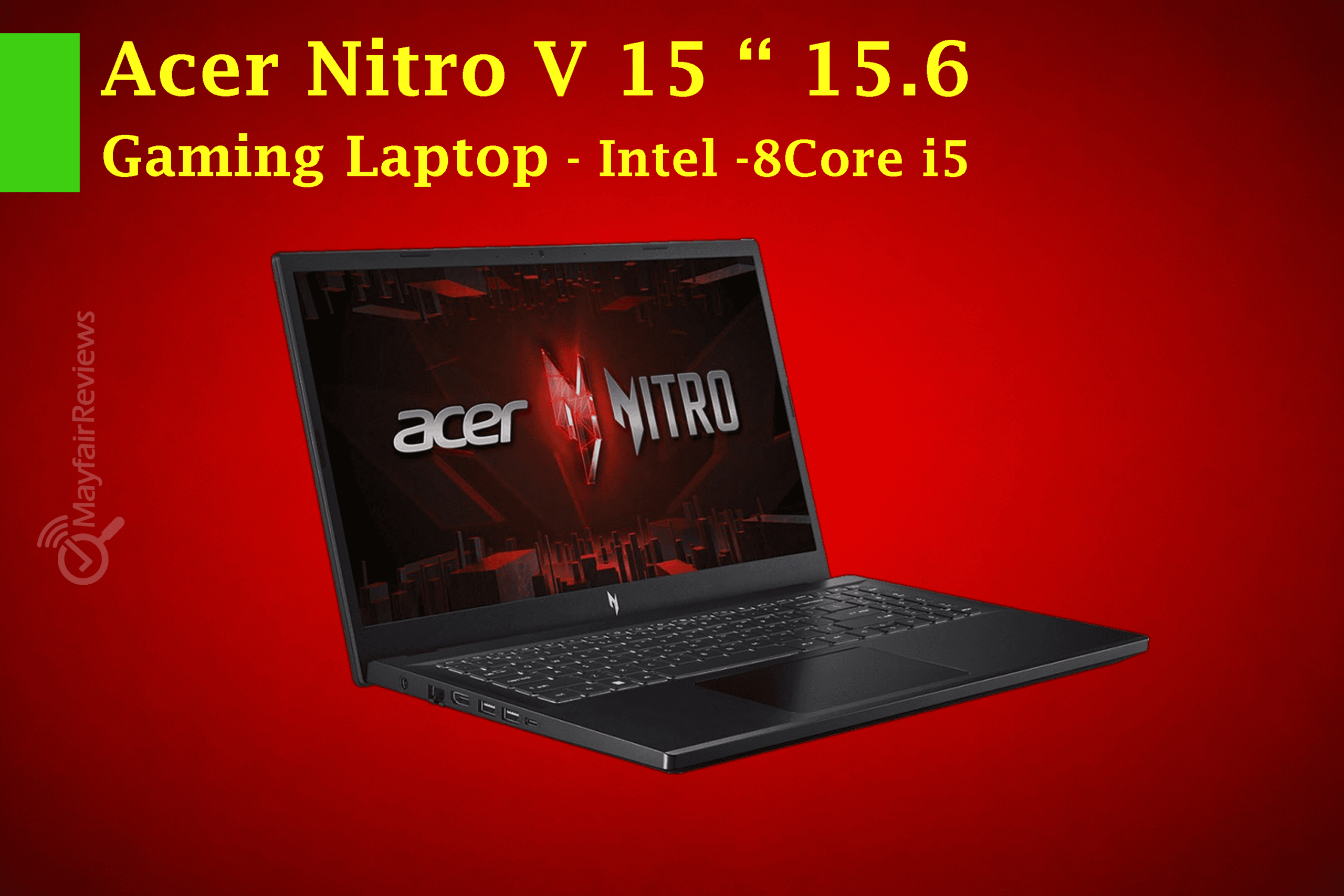
The Acer Nitro V 15 is considered one of the most widespread budget gaming laptops in 2026, but the new version equipped with the RTX 5050 Laptop GPU has elevated the device beyond being just a typical “budget gaming” machine.
Instead of focusing solely on running games at a low price, the laptop now delivers a strong balance of performance, a fast 1080p display, and an aggressive gaming-inspired design with reasonably slim screen bezels.
Note: When purchasing through our links, you help support the website and sustain the team’s efforts at no extra cost to you.
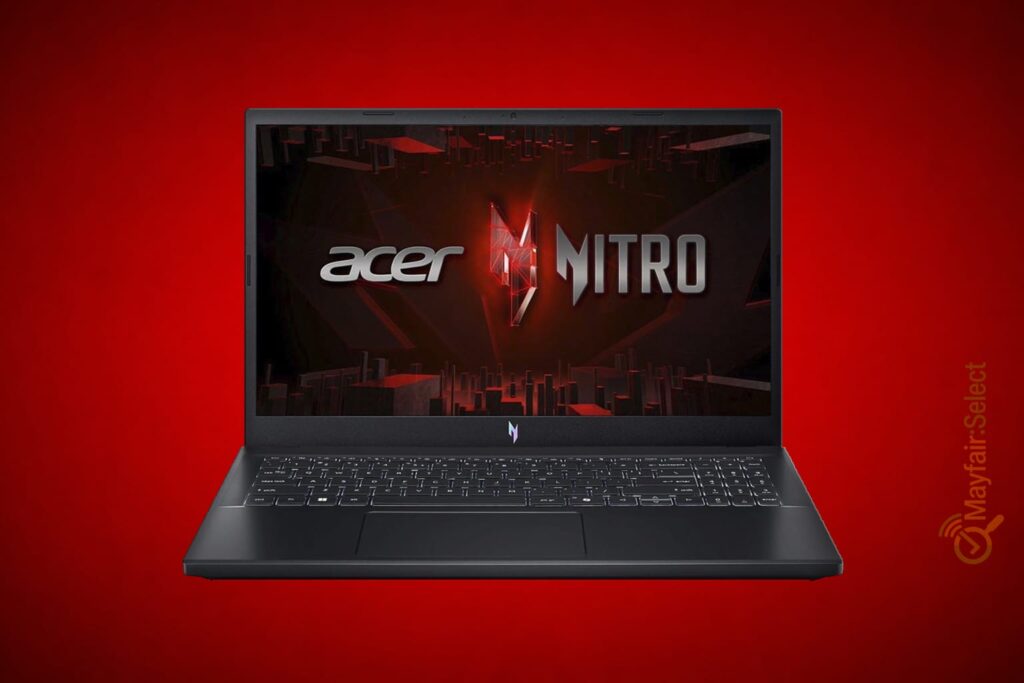
General Specifications of the Acer Nitro V 15 RTX 5050
| Category | Specifications | |
|---|---|---|
| Device Name | Acer Nitro V 15 | |
| Display Size | 15.6-inch | |
| Display Type | IPS | |
| Resolution | FHD | |
| Refresh Rate | 165Hz | |
| Full Resolution | 1920 × 1080 | |
| Processor | Intel Core i5-13420H | |
| Core Count | 8 Cores | |
| Graphics Card | NVIDIA GeForce RTX 5050 Laptop GPU | |
| Graphics Technologies | DLSS 4 + Ray Tracing | |
| Memory | 16GB DDR5 | |
| Storage | 512GB NVMe SSD | |
| Operating System | Windows 11 | |
| Wireless Connectivity | Wi-Fi 6 | |
| Bluetooth | Bluetooth 5.x | |
| Ports | Thunderbolt 4, USB Type-A, HDMI, Ethernet LAN, 3.5mm Audio Jack | |
| Keyboard | Backlit Keyboard | |
| Webcam | HD Webcam | |
| Weight | Around 2.1kg | |
Performance & Benchmark Results:
We gathered several performance and benchmark results mentioned in this review by relying on public benchmark platforms, while reanalyzing the figures and presenting them in our own interpretation to better reflect the laptop’s real-world performance in gaming, productivity software, and daily usage scenarios.
Main software used for these results:
- Cinebench for CPU performance testing.
- 3DMark for GPU and gaming performance testing.
- PCMark for overall system and productivity performance evaluation.
- HWiNFO for monitoring temperatures, power consumption, and clock speeds.
- Cyberpunk 2077, ARC Raiders, and Until Dawn for real-world gaming performance testing in modern titles.
| Test | Result | Evaluation |
|---|---|---|
| Cinebench R15 Multi | ~1775 pts | Very good for its category |
| Cyberpunk 2077 (Ultra FHD) | ~61 FPS | Excellent 1080p gaming performance |
| ARC Raiders High | 68.7 FPS | Very smooth gameplay |
| ARC Raiders Epic RT | 49.2 FPS | Good performance with Ray Tracing enabled |
| Until Dawn High | 47.6 FPS | Smooth and playable experience |
| GPU Power Consumption | Up to 75W | Moderate |
| Noise Under Load | 52–55dB | Relatively loud |
| Temperatures Under Load | Relatively high | Acceptable for this category |
The numbers confirm that the laptop is primarily designed to deliver a strong 1080p gaming experience while taking advantage of DLSS and Frame Generation technologies. However, it is not intended for extremely heavy Ray Tracing workloads at maximum settings.
The tests also showed that the cooling system is relatively good for the price category, although the laptop becomes noticeably louder and warmer during prolonged heavy workloads.
Display, Brightness, and Color Coverage Results:
| Test | Result | Evaluation |
|---|---|---|
| Average Brightness | 347 nits | Good for a budget-category laptop |
| Peak Brightness | 382 nits | Acceptable for indoor use |
| Contrast Ratio | 1232:1 | Good for an IPS display |
| sRGB Coverage | 60.3% | Average |
| AdobeRGB Coverage | 41.6% | Not intended for professional color work |
| Display P3 Coverage | 40.3% | Relatively limited |
| Refresh Rate | 165Hz | Excellent for gaming |
| Viewing Angles | Good | Suitable for daily use and gaming |
We conclude from the display results that the Acer Nitro V 15 focuses more on a smooth gaming experience thanks to the 165Hz, rather than its focus on professional color accuracy. Therefore, it is excellent for gaming and daily use, but it is not the ideal choice for professional designers.
Specifications analysis:
Design and build quality
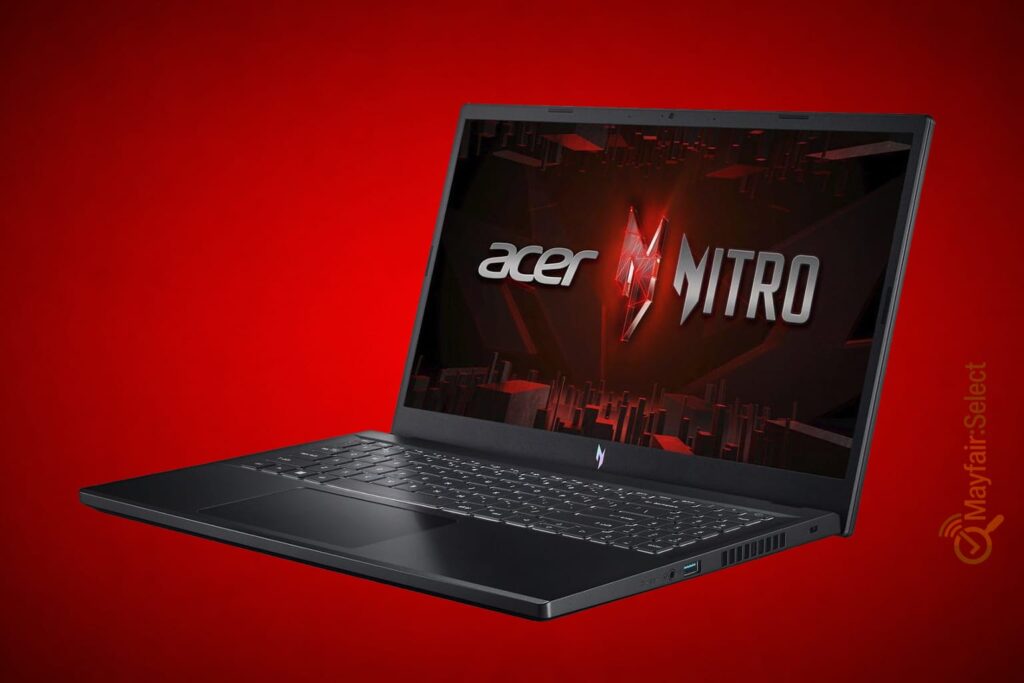
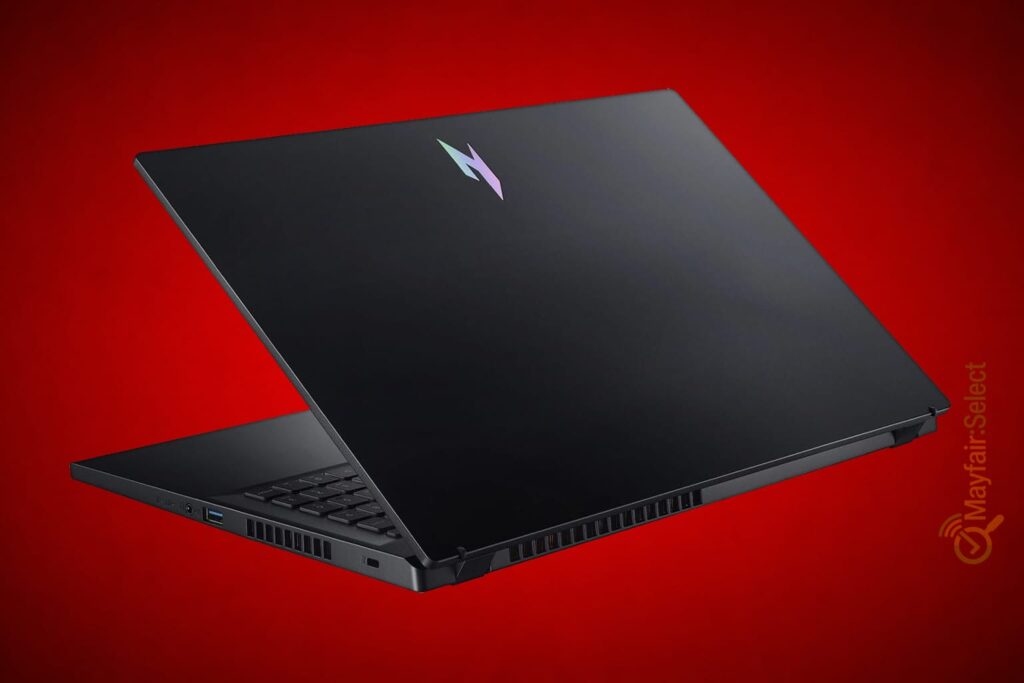
The Nitro V 15 maintains the traditional Acer Gaming identity:
- relatively aggressive design
- large air vents
- backlit keyboard
- clear gaming lines
- acceptable screen bezels
But the device is still targeted at the budget category thereforeThe chassis is made mainly of plastic and not the premium aluminum found in Premium Gaming devices
However: The materials are good for the price category and the device seems practical and durable for daily use and gaming
Screen:
The display is aimed more at competitive gamers than content creators, offering excellent smoothness thanks to the 165Hz refresh rate. However, the color coverage and 347 nit brightness make it less convincing for professional creative work compared to OLED or Mini-LED panels.
Excellent experience for competitive gaming:
- 15.6 inches
- FHD resolution
- IPS panel
- 165Hz frequency
- Full HD resolution (1920 x 1080)
And this gives a very smooth experience in:
- competitive gaming
- system navigation
- browsing
- video editing
Screen features:
- excellent smoothness
- good response
- good viewing angles
- suitable for fast-paced gaming
especially games like:
- Valorant
- CS2
- Fortnite
- Apex Legends
Technical review:
even though the screen is very good for the price category it is not a professional screen for colors like OLED or Mini-LED.
Performance:
Here the real power of the device begins this version comes with:
The Intel Core i5-13420H processor and the NVIDIA RTX 5050 Laptop GPU and this combination gives the device very powerful performance on a 1080p screen
The RTX 5050 Laptop card is considered among the new generation of NVIDIA budget and mid-range cards and it focuses heavily on:
- DLSS 4
- artificial intelligence enhancement
- Frame Generation
- better power efficiency
- better Ray Tracing than previous generations
And this makes the device capable of running most modern games at high settings on FHD resolution.
Expected Gaming Performance
| Game | Expected Performance |
|---|---|
| Fortnite | 120–160 FPS |
| GTA V | More than 120 FPS |
| Cyberpunk 2077 | ~61 FPS (Ultra FHD) |
| Warzone | 90–120 FPS |
| Forza Horizon 5 | ~100 FPS+ |
And of course, performance varies depending on:
- Game settings
- TGP (Total Graphics Power)
- Cooling system
- Driver updates
What does the phrase “Up to 440 AI TOPS” mean?
This phrase refers to the system’s overall AI processing capabilities using:
- The processor
- The graphics card
- Dedicated AI acceleration units
It does not refer to the graphics card’s power alone.
In practical terms, the device is excellent for running:
- Adobe AI features
- Image enhancement
- Modern AI tools
- Some lightweight local AI models
Performance in Adobe Software and Professional Work:
This device is not designed for gaming only; it also delivers excellent productivity performance.
It can run:
- Adobe Photoshop
- Adobe Premiere Pro
- Adobe After Effects
- Blender
However:
If you work on extremely large projects or long professional rendering tasks, it is better to choose a higher-tier device with stronger cooling and a more powerful GPU.
RAM and Storage:
This version comes with:
- 16GB DDR5 RAM.
- 512GB NVMe SSD
This is considered good, especially since:
16GB has become the reasonable minimum for modern games and productivity software.
However:
You may need to upgrade the storage later if you install many games.
Cooling:
The cooling system of the Nitro V 15 is good for its price range, but it is not on the same level as more expensive professional-grade devices.
The device relies on:
- Dual fans
- Large ventilation openings
- A design optimized for airflow
However, under prolonged heavy load:
- Temperatures rise relatively high
- The fan noise becomes noticeable
And this is normal for this category of laptops.
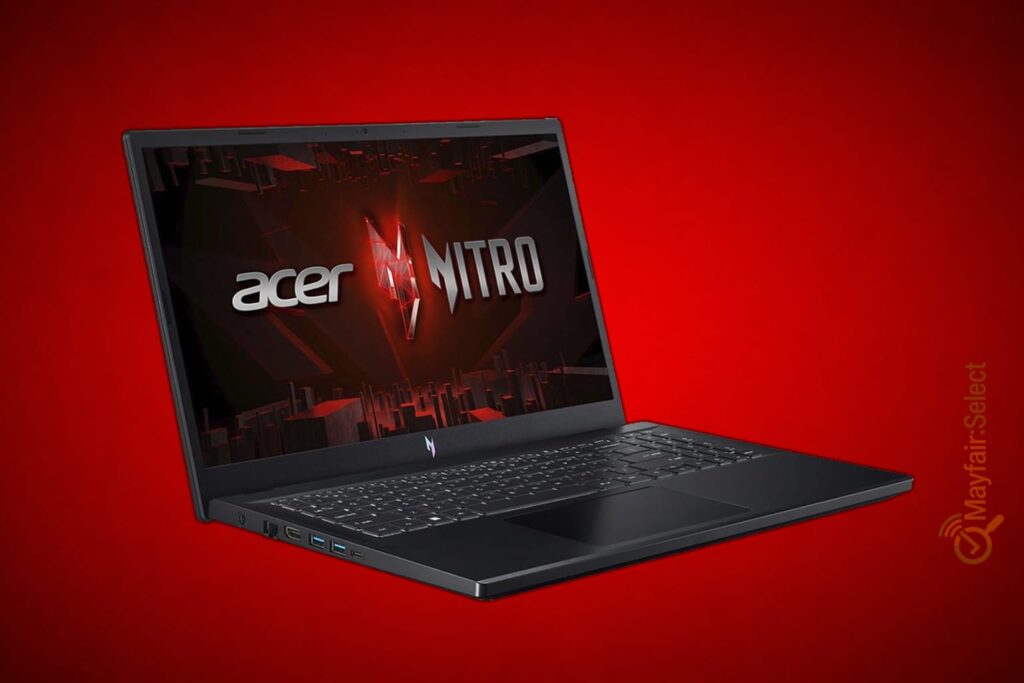
Ports and Connectivity:
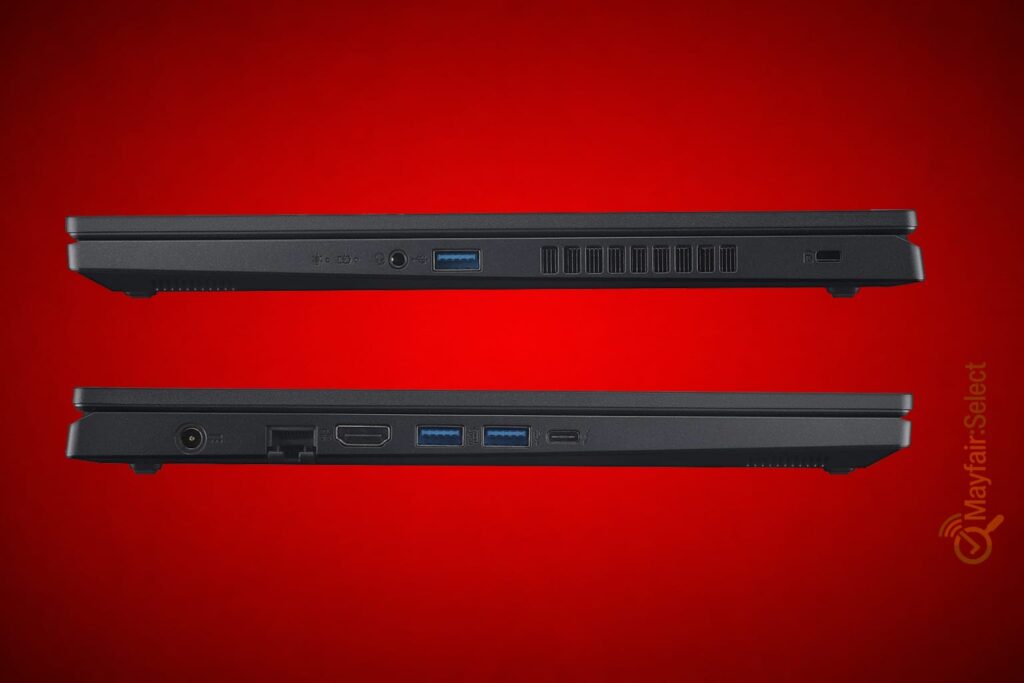
- type-c Thunderbolt 4
- (03) USB Type-A
- HDMI
- Ethernet LAN
- 3.5mm headphone jack
- Kensington lock
The inclusion of Thunderbolt 4 in particular is considered excellent for a device in this price range.
Keyboard & Touchpad:
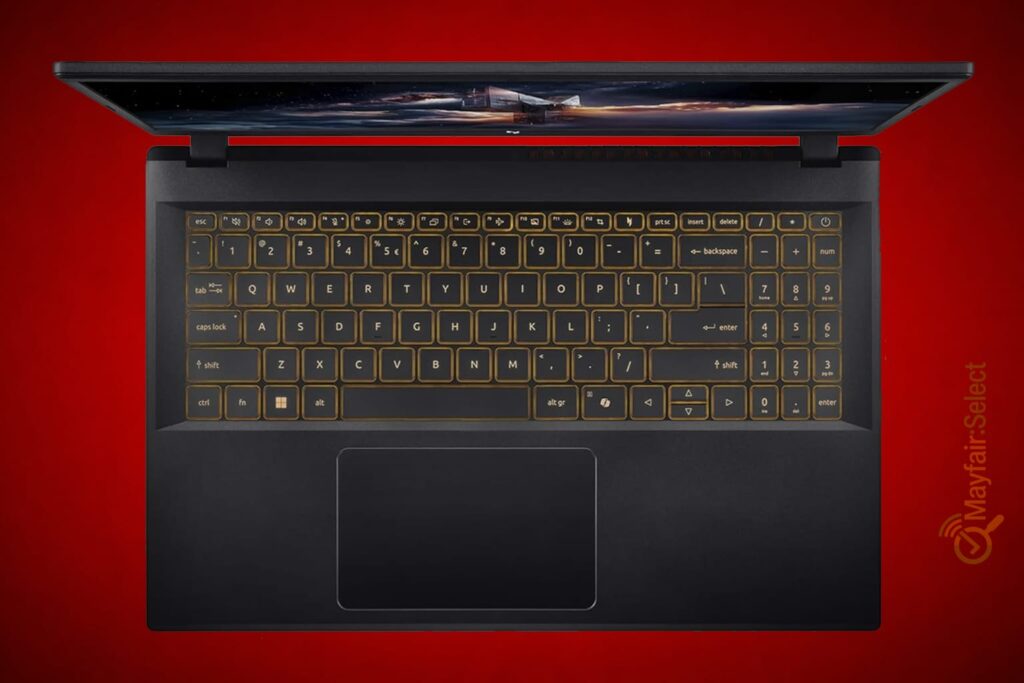
The Acer Nitro V 15 keyboard features a more practical design rather than the aggressive gaming style found on some competing gaming laptops. It comes with a simple backlit layout and includes a full-size keyboard with a dedicated numeric keypad (Numpad).
In terms of design and usability:
- The keys are relatively quiet
- The backlighting is simple and understated
- The keyboard is suitable for both gaming and everyday typing
As for the touchpad:
- It is relatively large and comfortable for daily use.
Battery:
The battery life is generally average to below average because H-Series processors and RTX graphics cards consume relatively high amounts of power.
You can expect:
- Around 6 hours of light usage
- Less while gaming
Weight:
The weight of the Acer Nitro V 15 varies slightly depending on the version and battery size, but most 15.6-inch models weigh approximately:
- Around 2.1 kg to 2.2 kg
Which is roughly:
- 2.11 kg in most modern RTX 4050 / RTX 5050 versions.
This makes it:
- Not as lightweight as Ultrabooks or the MacBook Air
- But completely normal for the 15.6-inch gaming laptop category
Price:
At a price of £967, the Acer Nitro V 15 is considered balanced in terms of value, especially with an RTX 5050, a 165Hz display, and 16GB DDR5 RAM. However, it is no longer a strong budget deal as it used to be under £850.
If we compare it at the £967 price point, devices such as:
- Lenovo LOQ
- MSI Thin A15
start to become relevant alternatives.
Why has the Nitro V 15 RTX 5050 become attractive?
The real reason is balance. The device offers:
- Strong gaming performance
- Modern technologies
- A fast display
- Excellent productivity performance
- Up-to-date specifications
All at a lower price than many RTX 5060 and RTX 4070 laptops.
Who is this device suitable for?
Buy it if you:
- Want strong gaming performance at Full HD resolution
- Are looking for a modern device with DLSS 4 technology
- Need a machine for work with Photoshop, Premiere, and Blender
- Want good value without entering the very high price range
Do not buy it if you:
- Are a student who travels a lot (because it is heavy at 2.11 kg)
- Are looking for a professional OLED display
- Need extremely long battery life
- Want a very quiet device under load
Mayfair-Reviews Rating:
Performance: 4/5
Display: 4/5
Cooling: 3/5
Build Quality: 3.5/5
Battery Life: 2.5/5
Value for Money: 3.5/5
Final Conclusion:
From my perspective, after analyzing the specifications and price, the Acer Nitro V 15 RTX 5050 is considered one of the best budget mid-range gaming laptops of 2026.
This is because it offers an excellent balance between:
- Performance
- Gaming
- Productivity
- Modern NVIDIA technologies
Despite some compromises such as:
- Plastic build materials
- Heat and noise under heavy load
- A display that is not color-accurate for professional work
The device still remains a very strong choice for anyone who wants a modern laptop capable of running the latest games and work software efficiently without paying high-end prices.
Questions Section:
Is the processor sufficient?
The Intel Core i5-13420H is not a premium processor like the Core Ultra 9 or Ryzen HX series, but it is very powerful for its price segment.
It is suitable for:
- Gaming
- Photoshop
- Premiere Pro
- Programming
- Multitasking
Is the RTX 5050 sufficient in 2026?
Honestly, yes, especially at Full HD (FHD) resolution.
It is an excellent mid-range budget GPU, particularly with DLSS 4 support.
Is it suitable for editing and Adobe software?
Yes, it is very good for beginners and intermediate users in:
- Adobe Photoshop
- Adobe Premiere Pro
- Blender
It can handle:
- 1080p editing smoothly
- Some light 4K projects
Is it worth buying in 2026?
Yes: If you are looking for a modern gaming laptop that delivers strong performance at Full HD resolution without entering the very high price range, then the Acer Nitro V 15 RTX 5050 is considered a very balanced choice in 2026.