Introduction
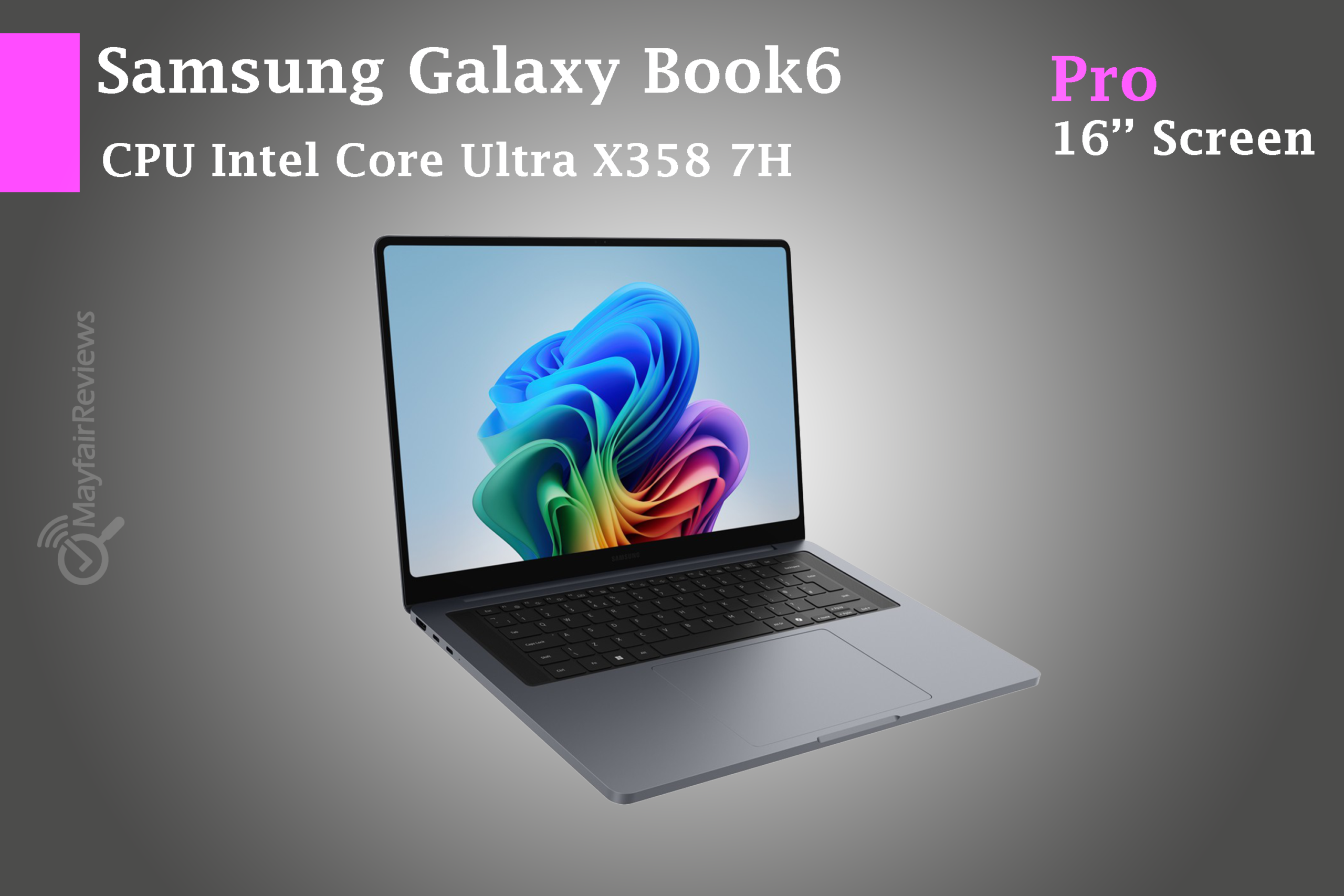
The Samsung Galaxy Book6 Pro (2026) is clearly designed for a very specific audience. This isn’t a gaming laptop, nor is it trying to replace a heavy-duty workstation. Instead, Samsung is focusing on what many premium laptop buyers actually care about most: portability, battery life, display quality, and a modern AI-ready experience.
With its ultra-thin chassis, Dynamic AMOLED 2X display, Intel’s latest Core Ultra processors, and lightweight design, the Galaxy Book6 Pro positions itself as one of the most refined Windows ultrabooks of 2026.
But premium ultrabooks always come with compromises somewhere.
So the real question is this: does the Galaxy Book6 Pro genuinely justify its premium price tag, or are there hidden trade-offs behind the sleek design? Can it realistically compete with devices like the MacBook Air, Dell XPS, and ASUS Zenbook OLED series?
Pros & Cons
Samsung Galaxy Book6 Pro (2026) Specifications
| Specification | Samsung Galaxy Book6 Pro | |
|---|---|---|
| Processor | Intel Core Ultra Series 3 (Core Ultra 7 356H / Core Ultra X7 358H) | |
| Architecture | Panther Lake / Intel 18A | |
| AI Engine | Up to 50 TOPS NPU | |
| Memory | Up to 32GB LPDDR5X (non-upgradable) | |
| Storage | Up to 1TB PCIe NVMe SSD with storage expansion support | |
| Display | Dynamic AMOLED 2X Touchscreen | |
| Resolution | Around 2880 × 1800 | |
| Refresh Rate | Variable 30Hz–120Hz | |
| Brightness | Up to 1000 nits HDR | |
| Battery | 67.18Wh (14-inch) / 78.07Wh (16-inch) | |
| Ports | 2× Thunderbolt 4, USB-A, HDMI 2.1, microSD, 3.5mm audio | |
| Connectivity | Wi-Fi 7, Bluetooth 5.4 | |
| Weight | 1.24kg (14-inch) / 1.59kg (16-inch) | |
| Thickness | 11.6mm – 11.9mm | |
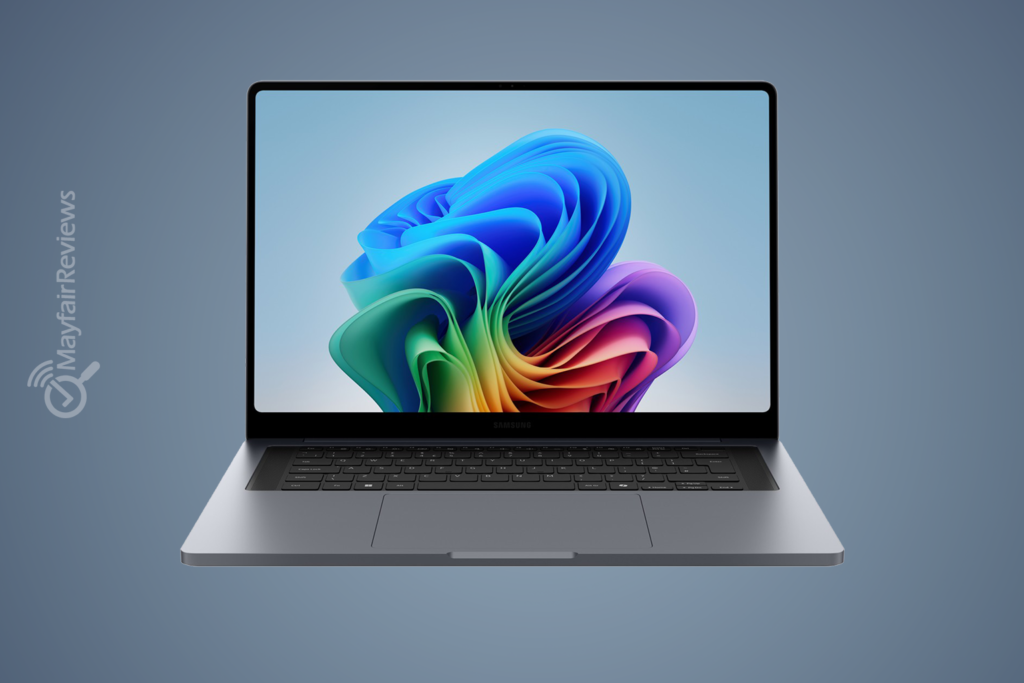
Samsung says the Galaxy Book6 Pro combines Intel Core Ultra Series 3 processors, AMOLED displays with HDR brightness up to 1000 nits, and AI performance reaching 50 TOPS all inside a chassis weighing as little as 1.24kg.
In-Depth Hardware Analysis
1. Intel Core Ultra Series 3 Processors
The Galaxy Book6 Pro uses Intel’s latest Core Ultra Series 3 processors, designed to improve efficiency while still delivering strong everyday performance. The focus here isn’t just raw benchmark numbers it’s responsiveness, multitasking, and smooth day-to-day usability.
Opening applications, switching between browser tabs, working in Office, handling meetings, and running AI-powered features should all feel fast and fluid.
The inclusion of an NPU capable of up to 50 TOPS also allows the laptop to accelerate certain AI-related workloads more efficiently. Features like background blur, noise reduction, Windows Copilot+, and Galaxy AI tools should benefit from the dedicated AI hardware.
That said, this doesn’t suddenly turn the Galaxy Book6 Pro into a professional AI workstation. It’s still an ultrabook first and foremost.
Expected performance should comfortably suit:
- Office and productivity workloads
- Chrome, Teams, and multitasking
- Moderate programming tasks
- Photo editing
- Light-to-medium video editing
- Everyday professional use
However, under sustained heavy workloads such as long rendering sessions or demanding exports, users should expect some thermal limitations compared to thicker gaming or workstation laptops.
2. Panther Lake Architecture & Intel 18A
One of the most important upgrades in this generation is Intel’s Panther Lake architecture built on the Intel 18A process.
The main goal is improving efficiency delivering higher performance while reducing power consumption and heat output. That’s particularly important in a laptop this thin.
In practical terms, Panther Lake helps Samsung maintain strong short-burst performance without dramatically increasing heat or battery drain. But physics still matters. Once workloads become heavy for extended periods, the system will inevitably need to reduce clock speeds to manage temperatures.
As a result, the Galaxy Book6 Pro feels best suited to fast, responsive productivity work rather than long workstation-style rendering sessions.
3. Memory: LPDDR5X up to 32GB
Samsung uses LPDDR5X memory, which is both fast and power efficient exactly what you’d expect in a premium ultrabook focused on mobility and battery life.
The fast memory helps with:
- Heavy multitasking
- Large browser sessions
- Creative software
- Smooth Windows 11 performance
- AI-assisted workflows
The major downside is that the memory is fully soldered.
That means whatever configuration you buy on day one is the configuration you’ll live with long term.
Is 16GB enough in 2026? For casual productivity users, probably yes. But anyone planning to keep the laptop for several years especially creators, multitaskers, or users working with Photoshop, Lightroom, editing software, or AI tools should strongly consider the 32GB model instead.
4. Storage: Fast NVMe SSD with Expansion Support
Storage is handled by PCIe NVMe SSDs, which means fast boot times, responsive applications, and quick file transfers.
Samsung offers configurations up to 1TB, along with additional storage expansion support according to the official specifications. That’s a genuinely useful feature in a thin-and-light laptop, especially for photographers and creators working with large files.
A 256GB model, if available in some regions, would likely feel restrictive in 2026.
Recommended configurations:
- 512GB for typical users
- 1TB for creators and professionals
- 1TB plus future expansion for larger media libraries
5. Graphics: Intel Arc Integrated Graphics
The Galaxy Book6 Pro relies on Intel Arc integrated graphics rather than dedicated RTX graphics.
Compared to older Intel integrated GPUs, Arc graphics are a noticeable improvement and should comfortably handle:
- Photoshop and Lightroom
- Light-to-medium 1080p and 4K editing
- Casual gaming
- GPU-accelerated creative workloads
But it’s important to stay realistic here.
This is not an RTX 5060 or RTX 5070 gaming machine. If your workflow revolves around AAA gaming, heavy Blender projects, professional 3D rendering, or demanding Unreal Engine workloads, a dedicated gaming laptop or something like the Galaxy Book6 Ultra would make far more sense.
Still, this isn’t necessarily a flaw it’s simply the natural compromise that comes with ultra-thin premium laptops.
6. Display: Easily the Best Part of the Laptop
The display is arguably the Galaxy Book6 Pro’s biggest selling point. Samsung uses a Dynamic AMOLED 2X panel with a 2880×1800 resolution, variable refresh rate from 30Hz to 120Hz, and HDR brightness reaching up to 1000 nits according to official specifications
This means:
- Rich, vibrant colours
- True OLED blacks
- Excellent media consumption
- Smooth scrolling and animations
- Strong potential for creative work
The variable refresh rate also helps battery efficiency, since the panel can lower itself to 30Hz during lighter tasks like reading or writing.
Potential downsides? Like many OLED displays, reflections may bother some users, and PWM sensitivity could affect people sensitive to display flickering. If you’re particularly sensitive to OLED flicker, it’s worth trying the display in person first.
7. Keyboard and Touchpad
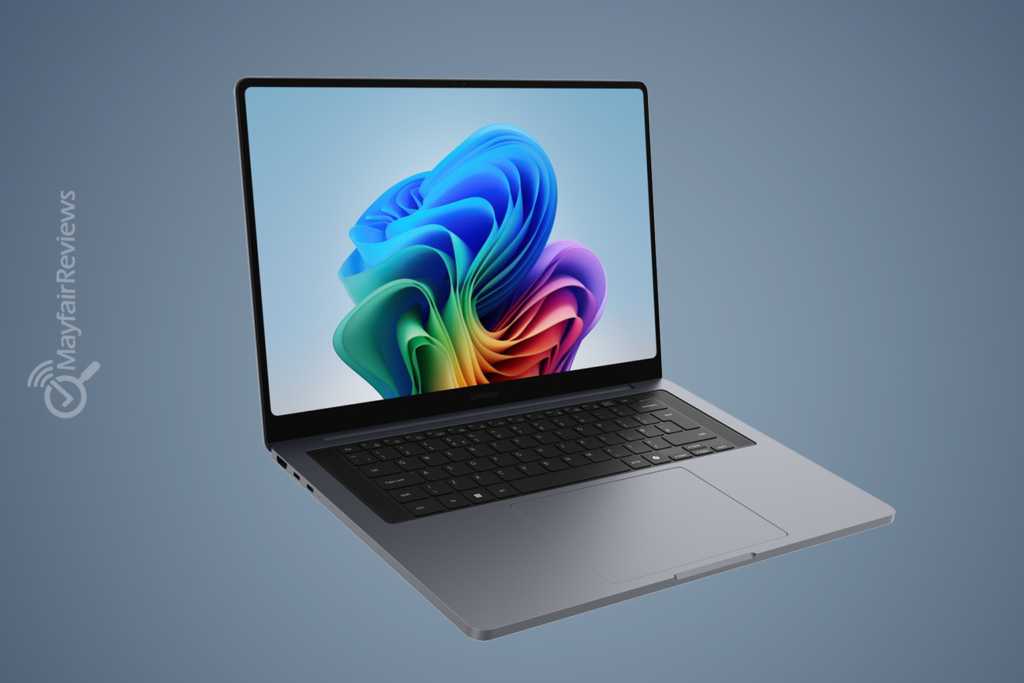
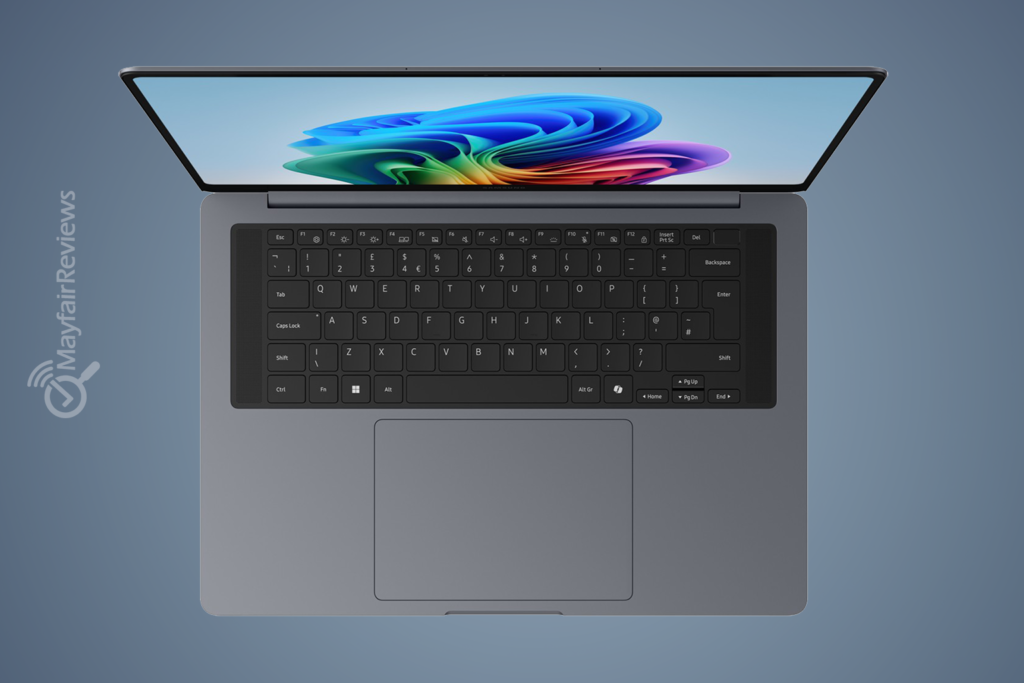
The keyboard on the Galaxy Book6 Pro follows Samsung’s modern design philosophy for ultra-slim laptops. The keys look sleek and simple and are well-spaced.
However, due to the device’s slim profile, the key travel is expected to be shorter compared to thicker business laptops like the ThinkPad or some larger productivity-focused devices. This is a common trade-off in laptops in this category.
For most users, the typing experience should be:
- Responsive
- Quiet during everyday use.
- Comfortable for students and office work.
- Suitable for long typing sessions after a short adjustment period.
The large, precise touchpad is also expected to provide smooth navigation and accurate gesture support within Windows 11, which is particularly important in Ultrabooks competing with devices like the Apple MacBook Air M4.
Potential drawbacks:
- Shallower key travel compared to traditional business-oriented laptops.
- Heavy keyboard users may prefer a firmer mechanical response.
- The ultra-slim design leaves less room for deeper keyboard travel.
Overall, the keyboard appears to prioritize style, portability, and modern usability over deep tactile feedback.
8. Ports: More Practical Than Many Rivals
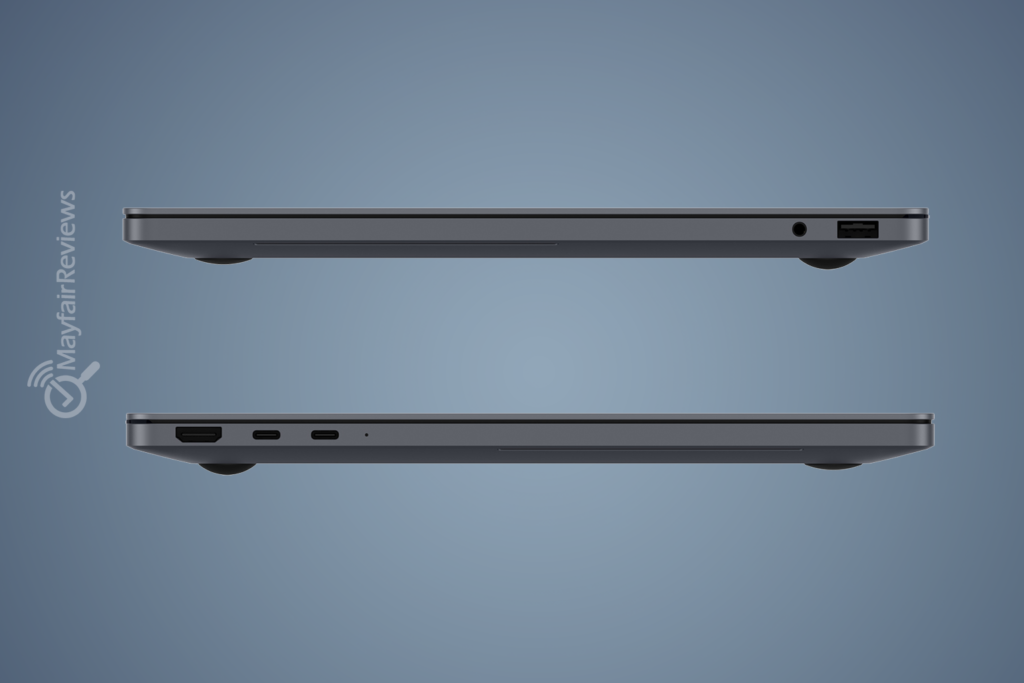
Thankfully, Samsung didn’t remove every useful port in the name of thinness.
The Galaxy Book6 Pro includes:
- Thunderbolt 4
- USB-A
- HDMI 2.1
- 3.5mm audio jack
That’s genuinely useful in daily life, especially compared to some premium ultrabooks that force users to rely heavily on dongles.
HDMI 2.1 is especially useful for external displays and presentations, while the microSD slot remains convenient for photographers and creators.
9. Battery Life: Excellent, But Don’t Expect 30 Hours in Reality
Samsung claims the Galaxy Book6 Pro can reach up to 30 hours of video playback.
Technically, that may be achievable under highly controlled conditions involving:
- Low brightness
- Local video playback
- Minimal background activity
Real-world usage will naturally be lower.
Expected battery behaviour:
- Web browsing and office work: excellent
- Meetings and video calls: lower
- Gaming and editing: significantly lower
- High brightness + 120Hz: noticeably more demanding
The realistic conclusion is fairly simple: the Galaxy Book6 Pro should still offer very strong battery life for an OLED ultrabook, even if real-world use won’t match Samsung’s maximum marketing figures.
10. Build Quality & Design
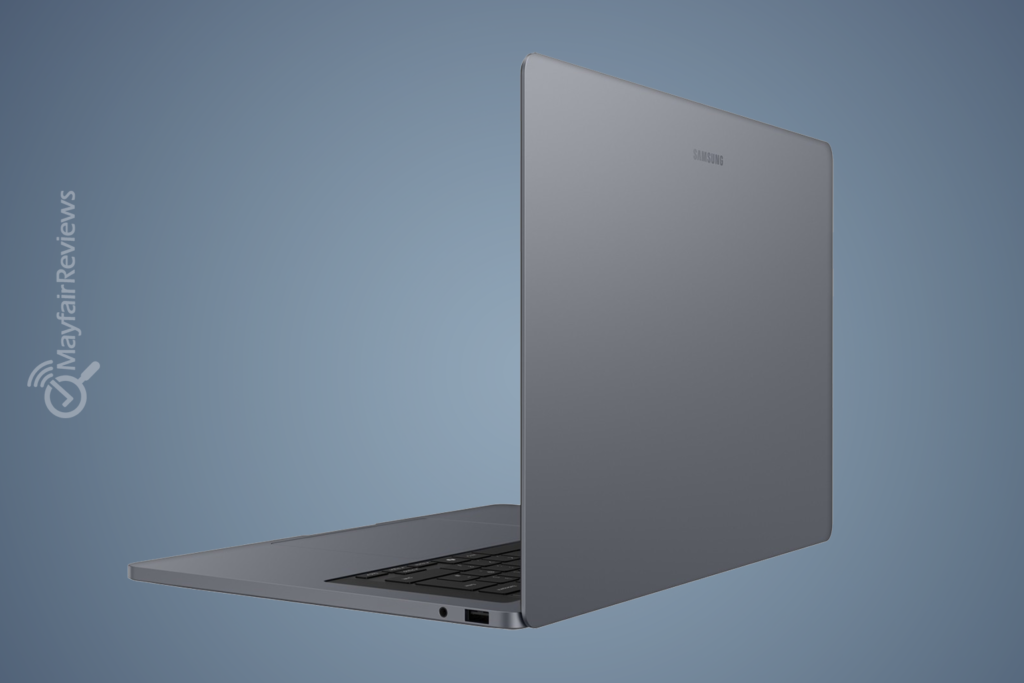
Design is one of the Galaxy Book6 Pro’s strongest selling points.
This laptop is slim and lightweight, and it’s clearly designed to give you a sense of luxury. The 14-inch model weighs just 1.24 kg, while the larger 16-inch model remains surprisingly portable at just 1.59 kg.
Of course, ultra-thin laptops always involve trade-offs:
- Limited cooling capacity
- Non-upgradable RAM
- Potentially shallower keyboard travel
- Less ideal for users typing heavily all day
None of these are major flaws on their own they’re simply common compromises in this category.
11. Prices
The Galaxy Book6 Pro starts at $1,899.99 / £1,699, and models are currently available. It’s pricey, but it holds its own against some other models
The device comes with 16 or 32 GB of RAM and 256 GB, 512 GB, or 1 TB of storage. The device is available with two Intel Core Ultra processors, the 7 356H and X7 358H, with the latter reserved for the top-tier model. A version equipped with the Ultra 5 325 processor will be released soon.
The Galaxy Book6 Pro is a high-end laptop, which is no surprise given its design and specifications. The base model’s price is similar to that of the Asus Zenbook S 16, which also features an OLED display
CPU & GPU & Display Benchmarks
The following benchmark figures and performance analysis are based on publicly available benchmark databases, early technical reviews, comparable Intel Core Ultra Series 3 systems, and industry-standard benchmarking platforms such as Cinebench 2024, Geekbench 6, PCMark 10, CrossMark, and UL 3DMark.
Actual results may vary depending on configuration, cooling, power settings, drivers, workload, and future software updates. These figures should be viewed as estimated or preliminary rather than guaranteed performance numbers.
CPU Benchmarks
| Benchmark | Expected / Early Result | Rating | What It Means |
| Cinebench 2024 Single-Core | 116 | Excellent | Fast everyday responsiveness |
| Cinebench 2024 Multi-Core | 1079 | Very Strong | Good for multitasking and moderate creative work |
| Geekbench 6 Single-Core | 3100 | Excellent | Strong day-to-day performance |
| Geekbench 6 Multi-Core | 15000 | Very Strong | Excellent productivity performance |
| PCMark 10 Overall | 8200 | Excellent | Smooth overall Windows experience |
| CrossMark Overall | 1840 | Excellent | Balanced productivity and office performance |
GPU Benchmarks (Intel Arc Integrated Graphics)
| GPU Benchmark | Result | Rating | What It Means |
| 3DMark Night Raid | 34000 | Very Good | Excellent for lighter gaming workloads |
| 3DMark Fire Strike | 6700 | Good | Major improvement over Intel Iris Xe |
| 3DMark Time Spy | 3200 | Moderate | Playable modern gaming at lower settings |
| Steel Nomad Lite | 1500 | Moderate to Good | Suitable for lighter graphics workloads |
Display Benchmarks
| Display Test | Result | Rating |
| Panel Type | Dynamic AMOLED 2X | Excellent |
| Resolution | 2880 × 1800 | Excellent |
| Refresh Rate | Variable 30Hz–120Hz | Excellent |
| HDR Brightness | Up to 1000 nits | Outstanding |
| sRGB Coverage | Around 100% | Excellent |
| DCI-P3 Coverage | Near 100% | Excellent for creators |
| Contrast Ratio | Near Infinite | Excellent |
| Response Time | Very Fast | Excellent for media and motion clarity |
What Can the Galaxy Book6 Pro Actually Handle?
The Galaxy Book6 Pro should comfortably handle:
- Heavy web browsing
- Microsoft Office and Google Workspace
- Zoom and Teams meetings
- Photoshop and Lightroom
- Moderate Premiere Pro and DaVinci Resolve projects
- Coding and programming workflows
- High-resolution external displays
- Casual games like Valorant, Fortnite, League of Legends, and Minecraft
However, it is not ideal for:
- Cyberpunk 2077 at high settings
- Alan Wake 2
- Heavy Blender rendering
- Large Unreal Engine projects
- Professional daily 3D rendering
- RTX ray tracing workloads
Main Competitors
MacBook Air
Apple’s MacBook Air still leads in efficiency, silent operation, and battery optimisation. However, the Galaxy Book6 Pro offers a superior OLED display, more practical connectivity, and better flexibility for Windows users.
Dell XPS
Dell’s XPS lineup remains one of the closest premium Windows competitors. Depending on configuration, XPS models may offer stronger build quality or performance, but Samsung focuses more aggressively on portability and thinness.
ASUS Zenbook OLED
ASUS continues to offer some of the best OLED ultrabooks available and may provide better overall value in certain markets. Samsung, however, benefits from tighter Galaxy ecosystem integration and a cleaner ultra-thin design.
Lenovo Yoga Pro
The Yoga Pro series may suit users prioritising stronger sustained performance and cooling, though those devices are often heavier and less minimalist in design.
Galaxy Book6 Pro vs MacBook Air M4
| Specification | Galaxy Book6 Pro | MacBook Air M4 |
| Processor | Intel Core Ultra Series 3 | Apple M4 |
| Display | 3K Dynamic AMOLED 2X 120Hz | Liquid Retina 60Hz |
| Graphics | Intel Arc | Apple GPU |
| AI Engine | Up to 50 TOPS NPU | Neural Engine |
| Memory | Up to 32GB LPDDR5X | Up to 32GB Unified Memory |
| Battery Life | Up to 30 hours claimed | Up to 18 hours claimed |
| Weight | 1.24kg | Around 1.24kg |
| Ports | Thunderbolt 4 + HDMI + microSD + USB-A | Thunderbolt + MagSafe |
| Biggest Strength | Display and connectivity | Efficiency and silence |
| Best For | Windows users and versatile workflows | Apple ecosystem users |
Who Should Buy the Galaxy Book6 Pro?
Buy It If:
- You need an excellent screen for work and entertainment
- A student, employee, or manager who travels frequently
- You work with Office, Photoshop, coding, or moderate editing
- You prioritise portability and battery life
Skip It If:
- best value for money
- needs RTX for professional gaming
- heavy 3D rendering
- future RAM upgrades
- sensitive to OLED/PWM displays
Is the Samsung Galaxy Book6 Pro Worth Buying in 2026?
If you’re looking for a premium Windows ultrabook that combines an excellent OLED display, sleek portability, strong battery life, and modern AI-ready hardware, the Galaxy Book6 Pro stands out as one of the strongest ultrabook options of 2026.
Samsung isn’t trying to compete directly with gaming laptops or workstation-class machines here. Instead, the company focuses on delivering a polished premium experience for users who value mobility, productivity, display quality, and modern design.
That said, buyers primarily interested in raw graphics performance, AAA gaming, or professional 3D workloads will likely find better value in RTX-equipped laptops at similar prices.
The Galaxy Book6 Pro isn’t the cheapest ultrabook on the market, but it feels like one of the most balanced premium Windows laptops currently available.
Its biggest strength isn’t being the most powerful laptop overall it’s how well it combines:
- a gorgeous OLED display
- lightweight portability
- premium build quality
- strong battery life
- and next-generation AI-focused hardware
Evaluation
Price: 3.5/5
Performance: 4.5/5
Design: 4.5/5
Total : 4.5/5
Battery life: 3.5/5
Technical Verdict
The biggest compromise is the lack of upgradeable memory, making the initial configuration choice especially important. Meanwhile, although Intel Arc integrated graphics have improved significantly, they still aren’t ideal for demanding gaming or professional 3D production workloads.
Still, for the right audience, the Galaxy Book6 Pro delivers a refined ultrabook experience that feels modern, lightweight, and genuinely premium.
FAQ
Is the Galaxy Book6 Pro good for gaming?
It can comfortably handle lighter and moderate games, but it is not a true gaming laptop.
Can the RAM be upgraded?
No. The memory is fully soldered and cannot be upgraded later.
Is the display good for creators?
Yes. The AMOLED panel offers excellent colours and high resolution, though professional colour-sensitive work may still benefit from calibration.
Does the battery really last 30 hours?
That figure comes from Samsung’s controlled video playback testing. Real-world battery life will vary significantly depending on brightness, workload, and usage patterns.
Is the 32GB version worth it?
Yes especially for long-term use, multitasking, editing software, and AI-related workloads.
Can it compete with the MacBook Air?
Absolutely. The Galaxy Book6 Pro competes strongly in display quality, connectivity, and Windows flexibility, while the MacBook Air still maintains advantages in efficiency and silent operation.