Mayfairreviews Verdict:
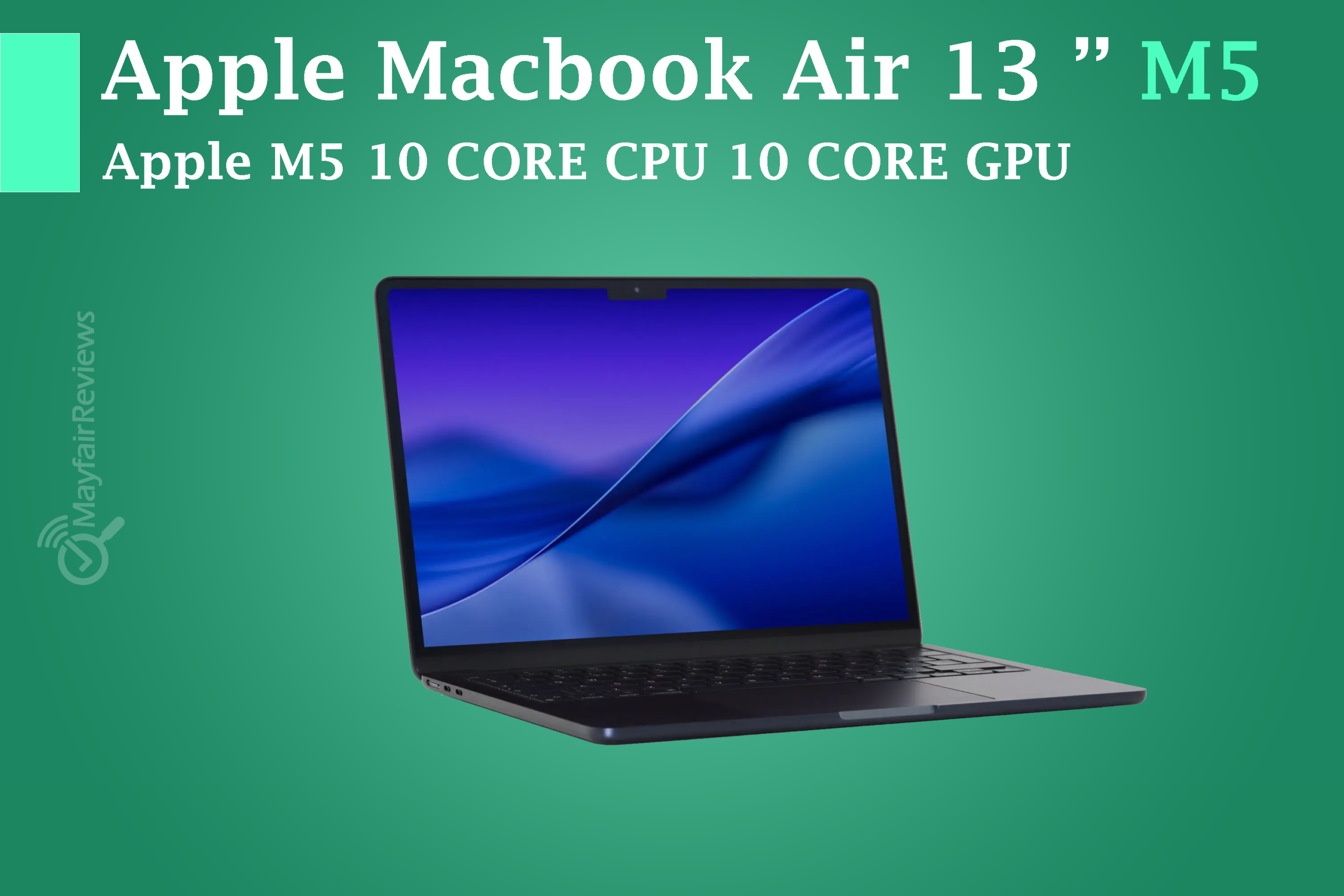
Apple launched the MacBook Air with noticeable and meaningful upgrades, mainly represented by the new M5 processor, which delivers better performance than the M4 along with local AI support and several other improvements.
The 13-inch MacBook Air M5 (2026) also comes with a few changes, starting at $1,099 and reaching $1,299, with the base model seeing a $100 price increase compared to last year’s $999 starting price. In my opinion, this increase is justified considering the improvements brought by the new M5 chip, which offers faster and more powerful performance along with storage options up to 512GB.
It also includes an improved graphics processor, especially with the addition of an AI unit for each core.
configuration:
| Specs: | MacBook Air 13-inch (M5) base configuration: | MacBook Air 13-inch (M5) mid configuration: | MacBook Air 13-inch (M5) top configuration: |
|---|---|---|---|
| Price: | $1,099 / £1,099 | $1,199 / £1,199 | $1,299 / £1,299 |
| CPU: | Apple M5 (10-core) | Apple M5 (10-core) | Apple M5 (10-core) |
| Graphics: | Integrated 8-core GPU | Integrated 10-core GPU | Integrated 10-core GPU |
| RAM: | 16GB unified memory (up to 32GB) | 16GB unified memory (up to 32GB) | 16GB unified memory (up to 32GB) |
| Screen: | 13.6-inch, 2560 x 1664 Liquid Retina display (500 nits sustained brightness, wide color P3 gamut, True Tone technology) | 13.6-inch, 2560 x 1664 Liquid Retina display (500 nits sustained brightness, wide color P3 gamut, True Tone technology) | 13.6-inch, 2560 x 1664 Liquid Retina display (500 nits sustained brightness, wide color P3 gamut, True Tone technology) |
| Storage: | 512GB SSD (up to 4TB) | 512GB SSD (up to 4TB) | 512GB SSD (up to 4TB) |
| Ports: | 2x Thunderbolt 4 (USB-C), 3.5mm headphone jack, MagSafe 3 | 2x Thunderbolt 4 (USB-C), 3.5mm headphone jack, MagSafe 3 | 2x Thunderbolt 4 (USB-C), 3.5mm headphone jack, MagSafe 3 |
| Wireless: | Wi-Fi 7, Bluetooth 6 | Wi-Fi 7, Bluetooth 6 | Wi-Fi 7, Bluetooth 6 |
| Camera: | 12MP Center Stage Camera 1080p HD video | 12MP Center Stage Camera 1080p HD video | 12MP Center Stage Camera 1080p HD video |
| Weight: | 2.7lbs / 1.24kg | 2.7lbs / 1.24kg | 2.7lbs / 1.24kg |
| Dimensions: | 11.97 x 8.46 x 0.44 inches (304 x 215 x 11.3mm) | 11.97 x 8.46 x 0.44 inches (304 x 215 x 11.3mm) | 11.97 x 8.46 x 0.44 inches (304 x 215 x 11.3mm) |
Display:
All models share the same 13.6-inch Liquid Retina LED (IPS LCD) display with a native resolution of 2560 × 1664 and a 60Hz refresh rate. It also supports Dolby Vision (HDR support), which gives more realistic details while watching movies, along with 500 nits of brightness, making it suitable for both indoor and outdoor use.
Camera:
The laptop features a 12MP webcam with Center Stage support, delivering very sharp and clear video quality.
Ports:
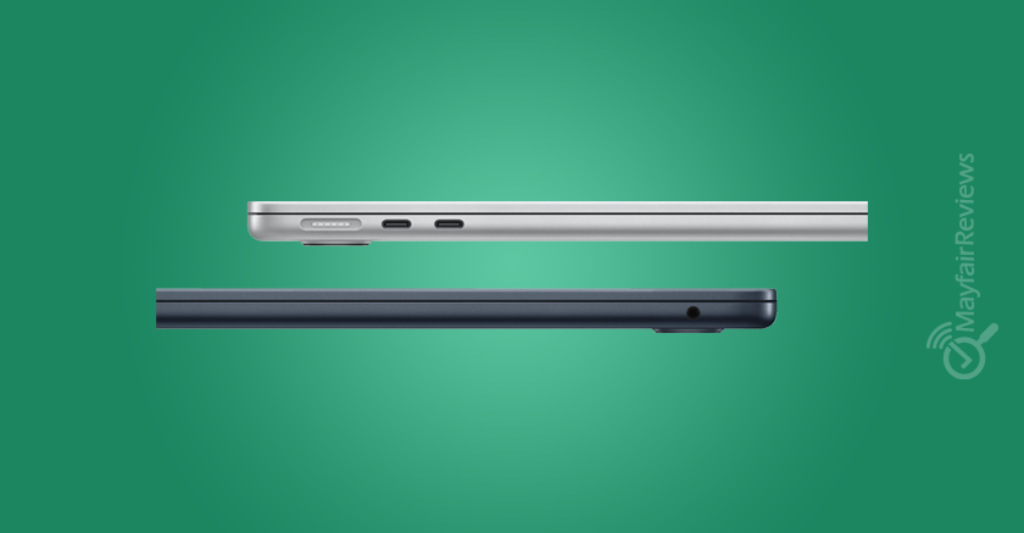
The device comes with a 40W dynamic power adapter, capable of reaching up to 60W, along with several ports.
On the left side:
- 2x USB 4.0 (Thunderbolt 4)
- MagSafe 3
The Thunderbolt 4 USB-C ports support data transfer speeds of up to 40Gbps, in addition to charging and DisplayPort video output support. The device can also run:
- Two 6K displays at 60Hz
- Two 4K displays at 144Hz
- One 8K display at 60Hz
- One 4K display at 240Hz
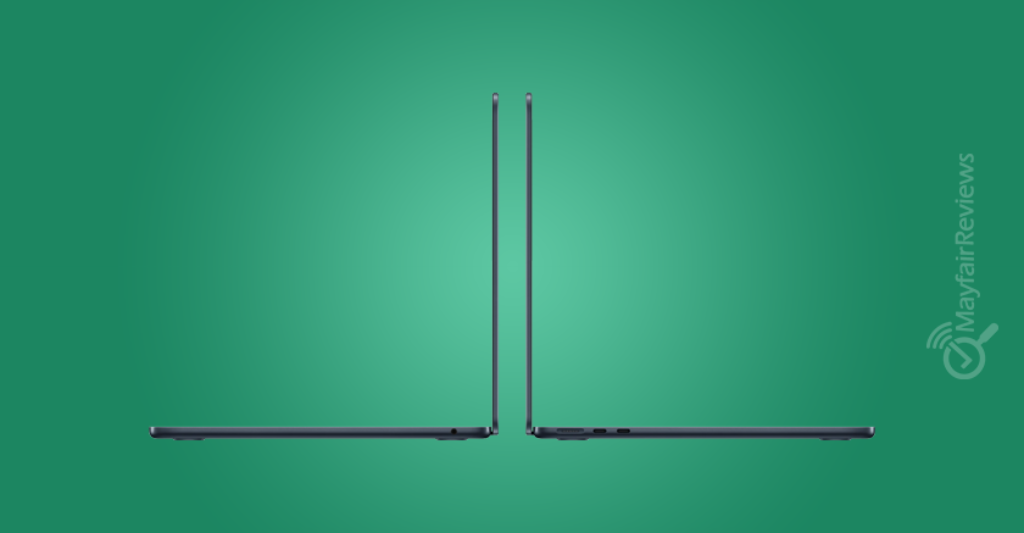
On the right side:
- 3.5mm audio jack
Speakers:
The audio system comes with a Four-Speaker Sound System (Quad Speakers) that delivers powerful sound performance (Loudness: ~82.1 dB), enhanced by Dolby Atmos and Spatial Audio technologies, making the sound more immersive and three-dimensional.
Processor:
The laptop is powered by the Apple M5 (10-Core) processor with an 8-Core GPU on the base model, while the tested version comes with a 10-Core GPU. It also includes an AI unit for each GPU core, as Apple focused heavily on improving local AI support along with overall CPU and GPU performance.
The processor reaches a clock speed of 4.61 GHz compared to last year’s version, which reached 4.46 GHz.
RAM:
The memory comes in multiple configurations including 16GB, 24GB, and 32GB of unified shared memory running at 9600 MHz, which is a 27.5% increase compared to the MacBook Air M4 (2025), which had a memory speed of 7500 MHz.
Storage:
The laptop includes a 512GB SSD (M2) in the base model, delivering around 125% better performance compared to the 2025 version. It is also possible to configure the storage up to 1TB, 2TB, or 4TB.
Design:
Design Differences:
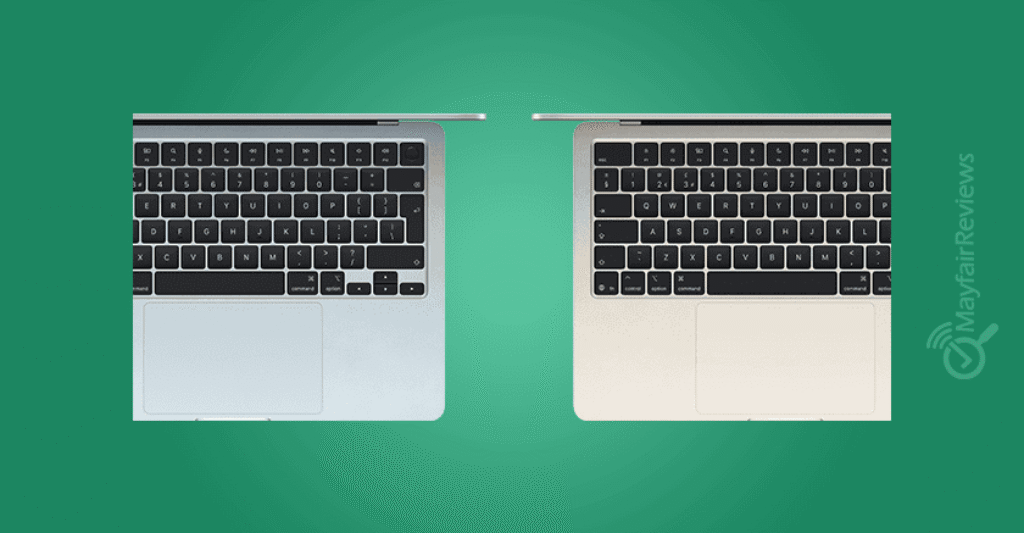
There are no major design changes compared to the previous version, with Apple keeping almost the same overall design and quality, including the same display, brightness, Touch ID, Haptic Trackpad, Notch, and overall user experience.
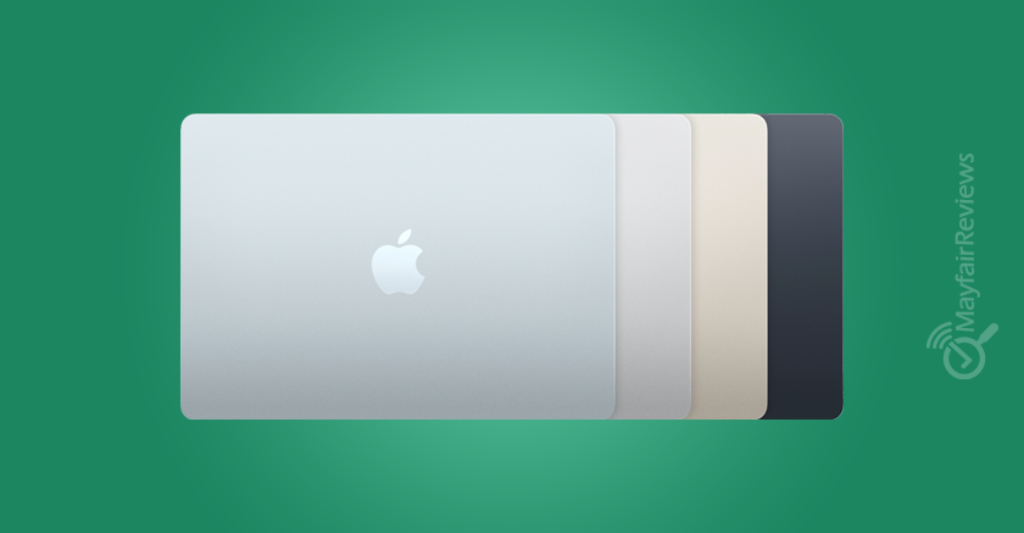
Colors:
In terms of colors, there are no new changes this year, unlike the 2025 version compared to the 2024 model, where Apple removed the Space Gray color and replaced it with Sky Blue.
Build Quality:
The aluminum chassis gives the laptop an elegant and premium look. Apple has truly mastered the use of this material, outperforming many companies that also use aluminum in competing Windows laptops within the same price category.
However, to be fair, there are also many powerful laptops built with premium materials such as Titanium, Magnesium Alloy, high-quality CNC Aluminum, and Carbon Fiber. Some of the best examples include the Asus Zenbook, HP Spectre x360, ThinkPad X1 Carbon, Dell XPS 13, LG Gram, and many other devices.
Dimensions:
Apple kept the “Air” branding true to its meaning, as the laptop comes with the same weight and thickness as the Apple MacBook Air 2025 version, featuring a thickness of 0.44 inches, dimensions of 12 × 8.5 inches, and a weight of around 2.7 pounds.
Apple mainly focused on technical upgrades such as larger storage capacity, improvements to the new processor, and the addition of an AI unit for each GPU core to improve graphics performance, along with support for Wi-Fi 7 and Bluetooth 6. The device remains extremely lightweight and ideal for daily tasks and entertainment use.
And of course, we should not forget Apple Continuity, which is a collection of technologies within the Apple ecosystem that makes different Apple devices work almost like one connected device. If you use an iPhone with a MacBook Air, iPad, or Apple Watch, you can move between devices very smoothly without needing to manually transfer files or reopen your work. You can continue tasks from an iPad directly on the MacBook Air, whether it’s sending a file, copying text, or continuing unfinished work. It is a strong feature that Apple has been developing over the years, although since 2022 we have not seen a major or truly noticeable improvement in this feature.
Competitors:
But let’s take a look at some of the strongest competitors to the MacBook Air 13 M5.
Dell XPS 14 (2026):
It is currently considered one of the strongest Windows competitors to the MacBook Air M5, especially after the return of the XPS series with a redesigned look and major improvements in battery life and cooling. It features a 120Hz OLED display, configurations up to 64GB RAM, and more ports compared to the MacBook.
Link to Dell XPS 14 (2026) laptop review article
ASUS Zenbook S 14:
One of the best lightweight Windows laptops with an excellent OLED display and a competitive price.
It directly competes with the MacBook in terms of weight, portability, and battery life, while also offering a high-resolution OLED display, larger RAM options, and usually a lower price, making it a direct alternative to the MacBook Air.
ASUS Zenbook A14 (Snapdragon X):
A very lightweight ARM laptop focused on battery life and portability, following a philosophy very similar to the MacBook Air.
It is considered one of the closest Windows devices to the MacBook Air experience: quiet, extremely lightweight, long battery life, and powered by a modern ARM processor. Many users currently see it as one of the closest Windows experiences to a MacBook.
Microsoft Surface Laptop Copilot+:
It offers a clean Windows experience with a premium design and excellent battery life.
If you are looking for a “MacBook Air with Windows,” the Surface Laptop is one of the closest options in terms of build quality, trackpad, display, and overall daily user experience.
Samsung Galaxy Book6:
A premium ultrabook focused on display quality, lightweight design, and ecosystem integration with Samsung devices.
It competes strongly with the MacBook, especially for Samsung ecosystem users, thanks to its excellent AMOLED displays and very lightweight design.
Link to Samsung Galaxy Book6 laptop review article
Performance Tests:
The following benchmark figures and performance analysis are based on publicly available benchmark databases, early technical reviews, comparable systems powered by Intel Core Ultra Series 3 processors, and industry-standard benchmarking platforms such as Cinebench 2024, Geekbench 6, PCMark 10, CrossMark, and 3DMark.
Actual results may vary depending on configuration, cooling system, power settings, drivers, workload, and future software updates. Therefore, these figures should be considered estimated or preliminary rather than final guaranteed performance results.
Battery Test:
The battery test is conducted by playing a local 720P video file of the open-source movie Tears of Steel with the display brightness set to 50% and volume level at 100%, while ensuring the battery is fully charged, Wi-Fi is disabled, and keyboard backlighting is turned off. Under these conditions, the MacBook Air M5 achieved around 18 hours of continuous usage, which is more than enough to cover a full day of studying, work, and various other tasks.
Display Test:
The display was tested for color coverage across the sRGB, Adobe RGB, and DCI-P3 color spaces, in addition to measuring contrast ratio and response time.
- The sRGB color space achieved 100% coverage
- The Adobe RGB profile covered 86.8%
- The DCI-P3 color gamut covered 98.1%
- Contrast ratio reached 1437:1
- Response time reached 20 ms
Note: There is a slight decline in some display values on the MacBook Air M5 compared to the MacBook Air M4, which achieved:
- Adobe RGB profile coverage of 99.9%
- DCI-P3 color gamut coverage of 99.4%
- Contrast ratio of 1494:1
Processor Test:
The processing results showed a noticeable and solid improvement for the Apple M5 processor over the Apple M4. The M5 delivered around 12% to 20% better Single-Core performance and around 19% to 22% better Multi-Core performance.
Integrated Graphics Processor:
The higher TMU count shows that Apple focused on real-world performance rather than marketing numbers.
Having 80 TMUs means the GPU can efficiently handle:
- High-quality textures
- Modern gaming environments
- Smooth 3D project previews
- Video editing and design effects
This also explains why modern Mac devices have become significantly better in:
- Blender Viewport
- Final Cut
- Motion Graphics
- Modern Metal-based games
Even though the TFLOPS numbers are not extremely high compared to NVIDIA graphics cards.
ROPs Count:
The number of ROPs is excellent for an integrated chip, as 40 ROPs is considered a very strong figure for the Ultrabook category.
Real-World Results:
- The macOS interface remains extremely smooth even on high-resolution Retina displays.
- HDR and Dolby Vision work very efficiently.
- Photo and video editing performance is excellent.
This clearly shows that Apple focused more on professional productivity and media workloads with stable long-term performance, rather than only chasing raw FPS numbers.
TFLOPS Test:
Many people focus only on TFLOPS numbers, but with Apple devices this is a common mistake because the fast unified memory, data compression, Metal optimization, lower latency, and efficient core scheduling make the real-world performance much higher than the raw power numbers suggest.
In actual usage, it can outperform some theoretically stronger integrated GPUs.
Blender Test – 242:
The Blender score of 242 further confirms the position of this chip. This result means the processor is very suitable for:
- Graphic design
- Video editing
- Medium-level 3D work
- Motion design
- Product design
However, it is still not a true replacement for an RTX 4070, RTX 4080, or heavy rendering workstations, especially in:
- CUDA workloads
- Cinematic rendering
- Heavy local AI processing
Solar Bay Test:
The chip achieved a score of 21246, which clearly shows a major real-world improvement in Ray Tracing performance compared to previous generations. This means noticeable improvements in:
- Ray tracing
- Lighting
- Reflections
This is very important because:
- macOS is gradually evolving into a more serious gaming platform.
- Metal 4 has become far more advanced.
- Game developers are starting to take Apple Silicon much more seriously.
Conclusion:
From a GPU perspective, the Apple M5 showed a very smart balance between performance and efficiency, especially with:
- Excellent power efficiency
- Stable performance without excessive heat
- Fast unified memory
- Strong Ray Tracing performance
- Deep Metal integration with the operating system
Final ratings (out of 5):
Price 4.5 /5
Design 5/5
Display 4.5/5
Performance 5/5
Battery life 5/5
Buy It If:
Even though it did not come with major design changes, it still remains a very attractive and premium option if you are looking for a thin and elegant laptop with larger storage capacity (512GB in the base model), excellent performance for light professional workloads, and the ability to run local AI models without needing to pay for additional subscriptions.
Don’t Buy It If:
If you already own a MacBook Air M4 or a recent competing laptop in the same category, the differences will not create a huge gap in everyday usage. In that case, it may be better to wait for future generations that could bring more noticeable upgrades and features.
FAQ:
Is the laptop excellent for professional work?
Yes, it is an excellent choice for designers, content creators, and video editors handling light to medium professional workloads such as 1080p editing and light 4K editing.
Does the M5 GPU compete with powerful modern graphics cards?
No, the performance is still far behind dedicated NVIDIA RTX graphics cards in extremely heavy graphical workloads such as large-scale cinematic rendering or high-end professional gaming.
What are the main Windows competitors in 2026?
If you are looking for strong alternatives in the same price and ultrabook category, the main competitors include:
- Dell XPS 14 (2026): Currently one of the strongest competitors with a 120Hz OLED display and an excellent cooling system.
- ASUS Zenbook S 14 or the ASUS Zenbook lineup in general: A great option that combines extremely lightweight design, an excellent OLED display, and competitive pricing.
- Microsoft Surface Laptop Copilot+: The closest option to the MacBook experience in terms of build quality, premium materials, and trackpad quality
Is the MacBook Air M5 display better than the previous M4 generation?
The display comes with a 13.6-inch panel, excellent 500 nits brightness, and 100% sRGB coverage. However, tests showed a very slight decline in some color and contrast values compared to the M4, with DCI-P3 coverage reaching 98.1% and contrast ratio reaching 1437:1 (compared to 99.4% and 1494:1 on the M4 generation).